New Features in PhraseExpress v18
Click into the box to watch the video...


Quick Language Selection
PhraseExpress can manage phrases in multiple languages and now lets you quickly select the desired language on a case-by-case basis.
New Autotext Options
PhraseExpress now optionally expands autotexts depending on the typing speed, e.g. only if you pause for a short time after entering the autotext.


Vary text templates with AI
With PhraseExpress, you can transform static text templates into endlessly varied, natural-sounding snippets using AI – ideal for emails, support replies, and outreach. This keeps your communication personal and engaging while still saving you time with reusable building blocks.
OpenRouter Support
PhraseExpress now supports OpenRouter. This external service gives you access to hundreds of AI models through a single endpoint, while automatically handling fallbacks. Using AI never has been easier.


Repeat Last Output
If a phrase output did not occur in the desired application or the output is needed again elsewhere, you can now repeat the last output. No need to refill forms or re-calculate variables.
Additional New Features
- OpenAI GPT5.2 support
- AI auto-model feature (uses latest model by default)
- Separate phrase triggers per language
- Customizable phrase preview text
- Search now suggest addition search fields.
- Boolean operators in quick search
- Password-protection to restrict phrase content view, allowing you to publish/sell phrase files without revealing your macro programming.
- Improved determination of phrase size
- Optional sync master program settings synchronization
- Software version management when using phrase synchronization
- MS Native Client replaced with ODBC driver 18
- Improved Setup wizard
- Optional silent updater
Features introduced with PhraseExpress v17
Click into the box to watch the video...
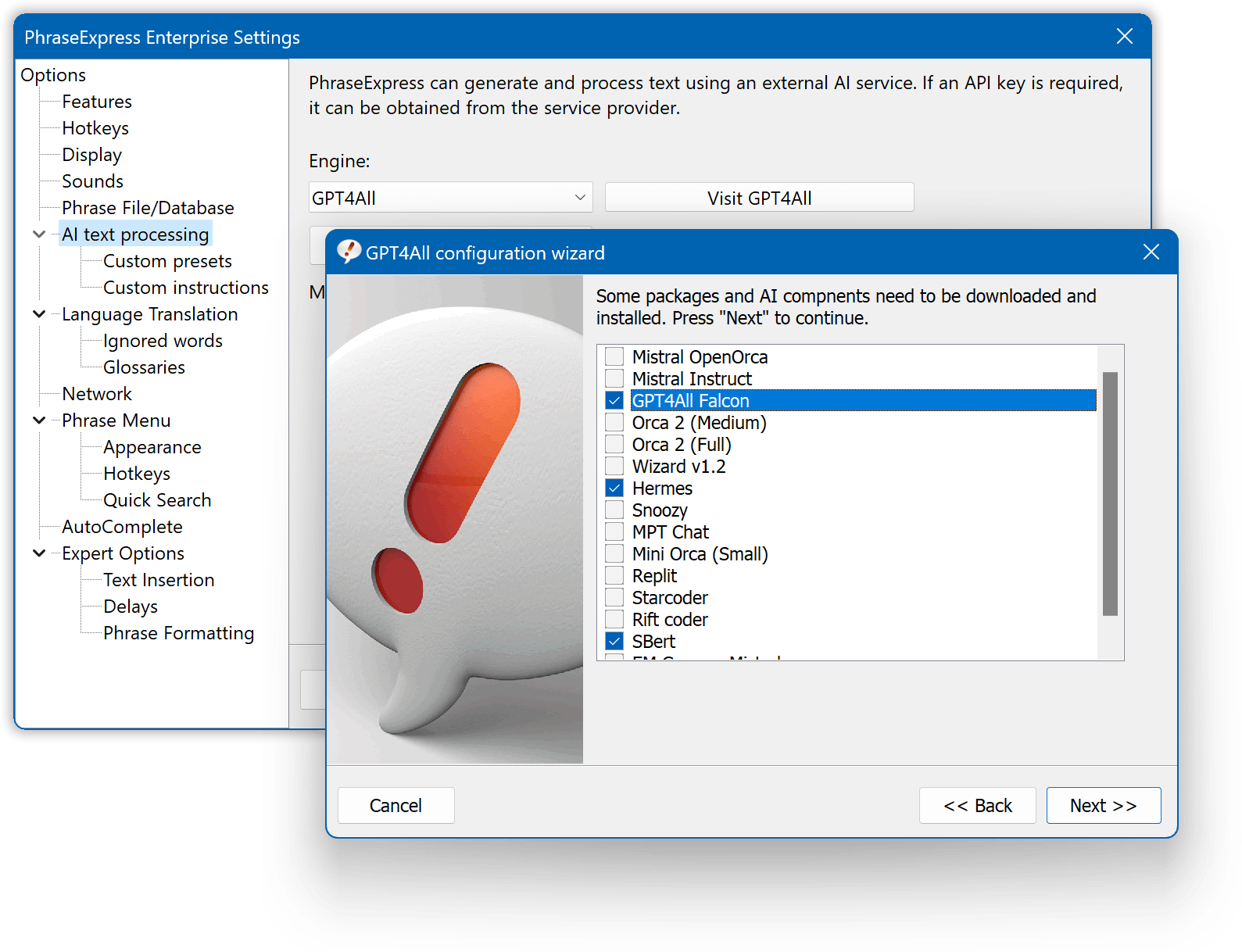
Self-Hosted AI Engine
AI with privacy in mind
PhraseExpress now supports self-hosted "Ollama" with "Llama 3" and "GPT4All" engine for AI assisted text processing on your computer.
No data leaves your computer. The AI engine operates on your local PC only!

Phrase Targets
You can now specify the destination for each phrase. Options include pasting directly into a designated program, populating the clipboard with the phrase's contents, saving the text to a file, or dispatching it via email.
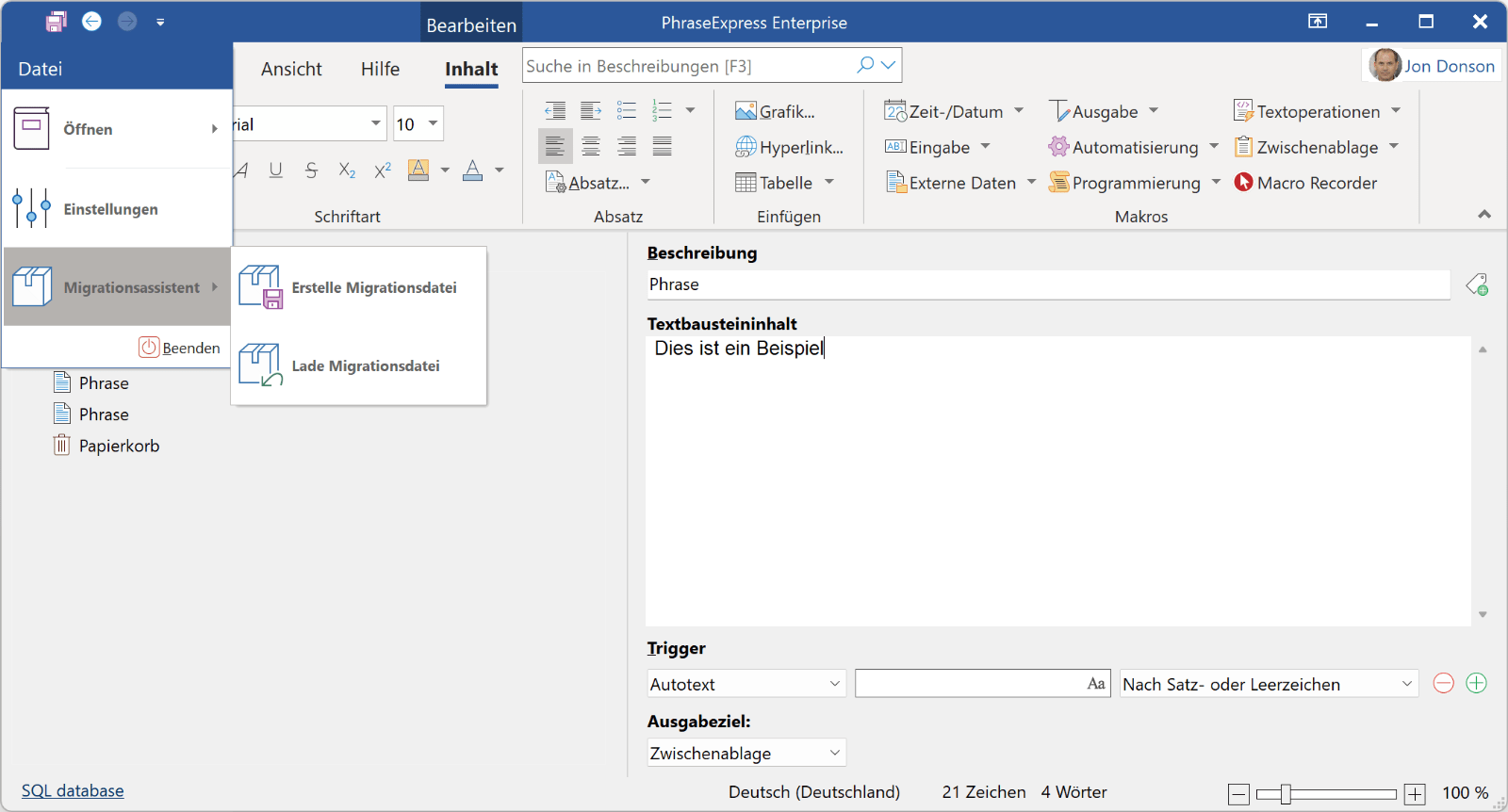
Migration Assistant
You can now save all PhraseExpress data and settings in a single file for backup purposes or to move a PhraseExpress installation to a new PC with just a few clicks. Moving an installation has never been easier!
Microsoft Azure Entra Support
PhraseExpress supports the cloud-based Azure Entra (formerly known as "ActiveDirectory").
Users can now log into their account directly from PhraseExpress to configure access rights to phrase libraries based on Microsoft ActiveDirectory (both online and offline) and Entra.
Distributed Software Updates
Simplified Software Updates
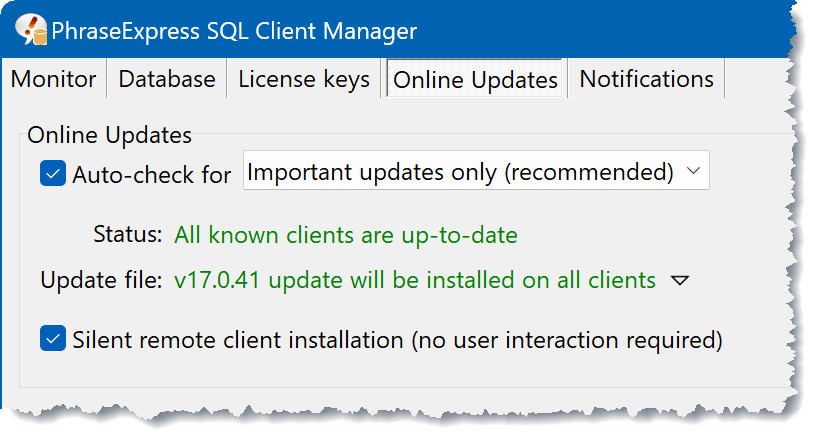
The PhraseExpress SQL Client Manager now conveniently handles the downloading of software updates and distributes new versions to all Windows clients on the network, making it easier to keep your system up-to-date.
Updated Autotext Settings
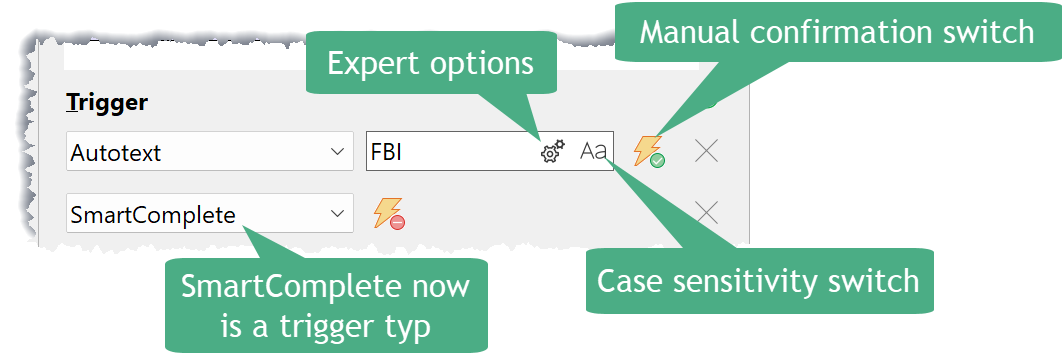
The autotext trigger user interface has been redesigned to save space and to enhance consistency.
Additional New Features
- OpenAI ChatGPT 4o ("Omni") Support.
- AI translation support now also for phrases containing macros.
- Document Generation now with checkboxes to select multiple phrases.
- Macros now support Windows environment variables for file path information.
- Search feature for comments.
- New macro to calculate the duration between two times.
- Search bar is now placed near the program window title bar.
- Streamlined line-by-line file import dialog.
- Edit multiple selected items in the tree simultaneously.
- The popup show phrase colors in search results.
New Features in earlier PhraseExpress v16
Click the playback button to watch the video:

OpenAI Integration
Generate phrases with AI
The amazing OpenAI text processing capabilities and PhraseExpress make a perfect team.
Use OpenAI within PhraseExpress to generate or rewrite your phrases in different styles (formal/informal). PhraseExpress stores the processed phrases for instant access, so you only pay for AI processing once.


Modernized User Interface
Existing users will have no problem finding their way around the carefully updated user interface.
New high-resolution icons support the Windows "Dark Mode" with dimmed variants.
New Trigger System
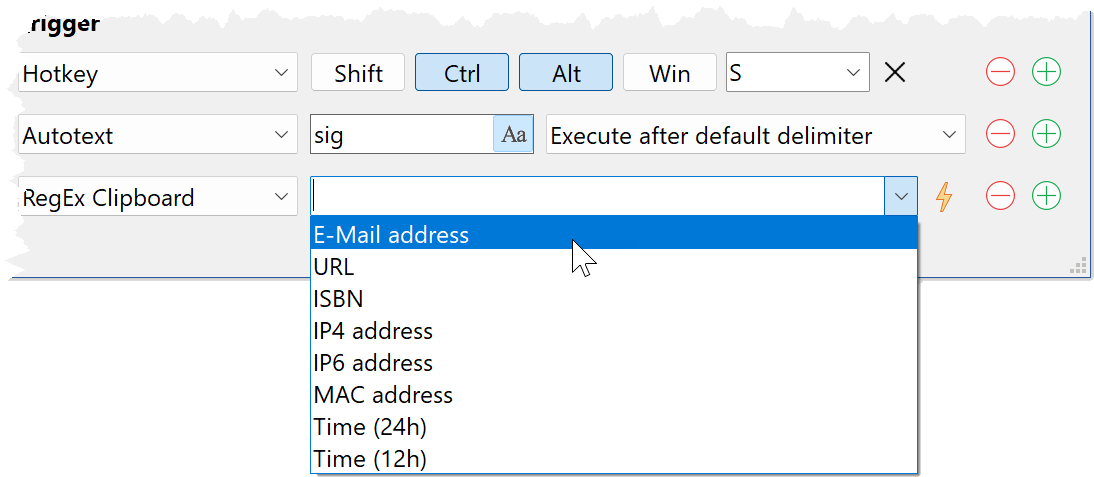
Phrases can now be executed at specified times, when certain program windows appear, or if the contents of the clipboard match a regular expression (RegEx).
For example, PhraseExpress can now offer various actions as soon as any e-mail address, URL, IP address, IBAN, etc. is typed or pasted into the clipboard.
Gender-O-Matic
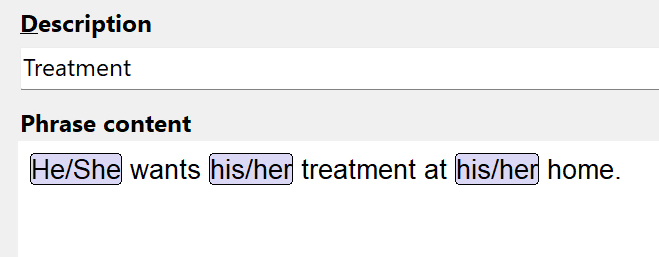
No more bulky "he/she" or "his/her" constructs. PhraseExpress can optionally replace them into dynamic placeholders during the composing of a phrase.
When executing the phrase, PhraseExpress then inserts the phrase in the desired gender variant.
Editing History
PhraseExpress now retains the editing history of each phrase also for users without a SQL server.
Previous versions can be reviewed with real-time preview, and restored if desired.

Increased SQL server performance
Version 16 accelerates the use, up to tenfold, with a SQL Server, and supports ODBC 16/17 drivers as well as SQL cloud servers at Microsoft Azure or Amazon AWS.
Macro Input Helper
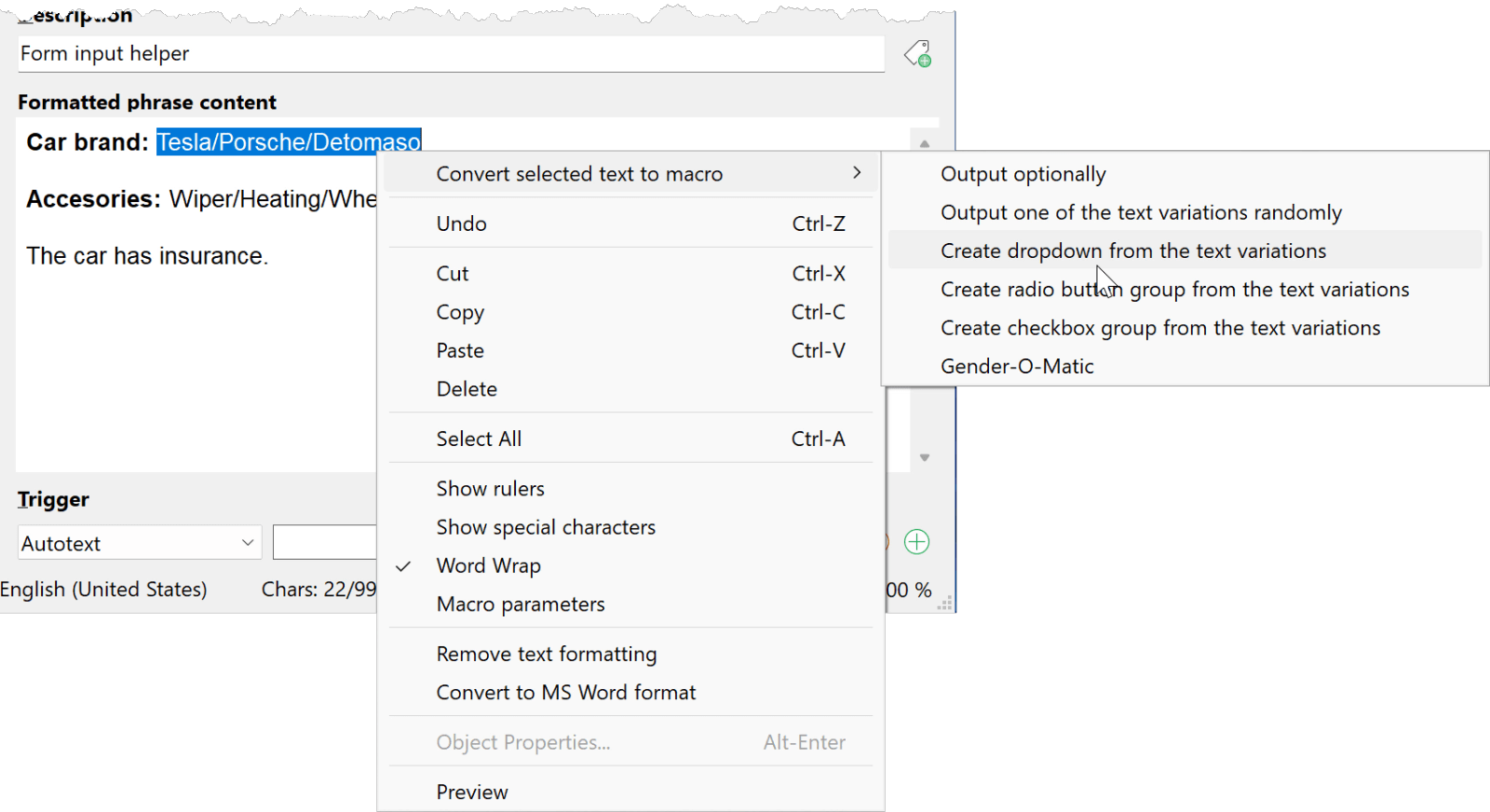
PhraseExpress makes using macro functions and creating input forms even easier – Just select any text in your phrase and PhraseExpress suggests suitable macro options.
Additional New Features
- Unified Mac/iOS/Windows phrase file format (Mac and new, free PhraseExpress for iOS App available).
- New phrase sync system with collision prevention.
- Improved quick search options dialog.
- Horizontal checkbox and radio button groups.
- Use count of all users combined.
- Separate sorting of each folder now also by use count.
- New DeepL translation languages and exclusion of specific words.
- Locking of individual edit tabs.
- Updated components with numerous further improvements.
Changes
The PhraseExpress Server has been discontinued. Standard Edition users can now sync "peer-to-peer" with a cloud/NAS synchronization feature or upgrade to the Professional Edition that comes with a free Microsoft SQL Server Express Edition installation option. The phrase menu preview does not render macro functions anymore to improve performance.
Features introduced in 15
Click the playback button to watch the video about what was new in v15:

Comments & Chat
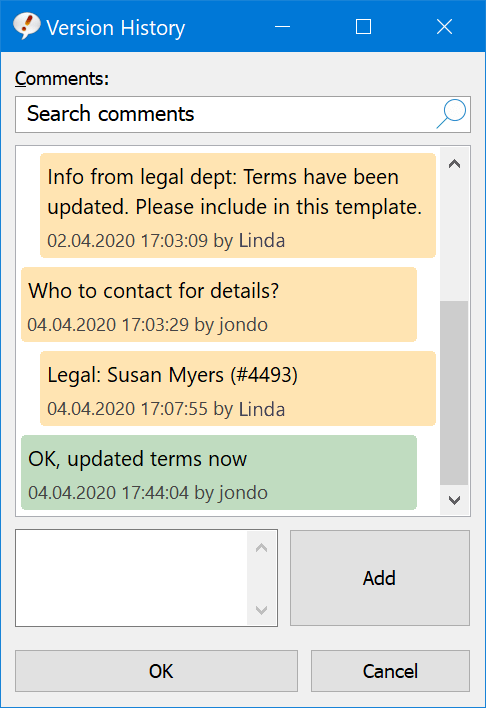
Phrases can now be enhanced with notes.
Team members can comment on phrases to discuss the conception of contents.
Phrase Tags
Tags enables you to categorize phrases in descriptive groups.
For example, typing "#sales" in the phrase selection menu would find all text templates that you tagged with "sales".

Personal Folders
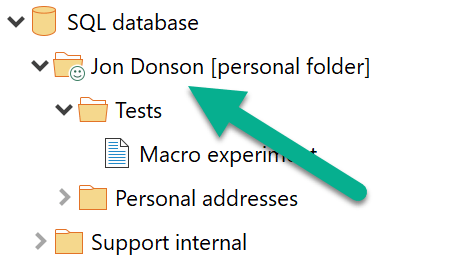
If sharing a phrase file with a SQL server, all users (or a selection) now can have an individual user folder to manage personal phrases.
The user folders are automatically created for each user and all data is stored in the central database while only the respective user has access to his personal folder.
Dynamic Phrase Folders
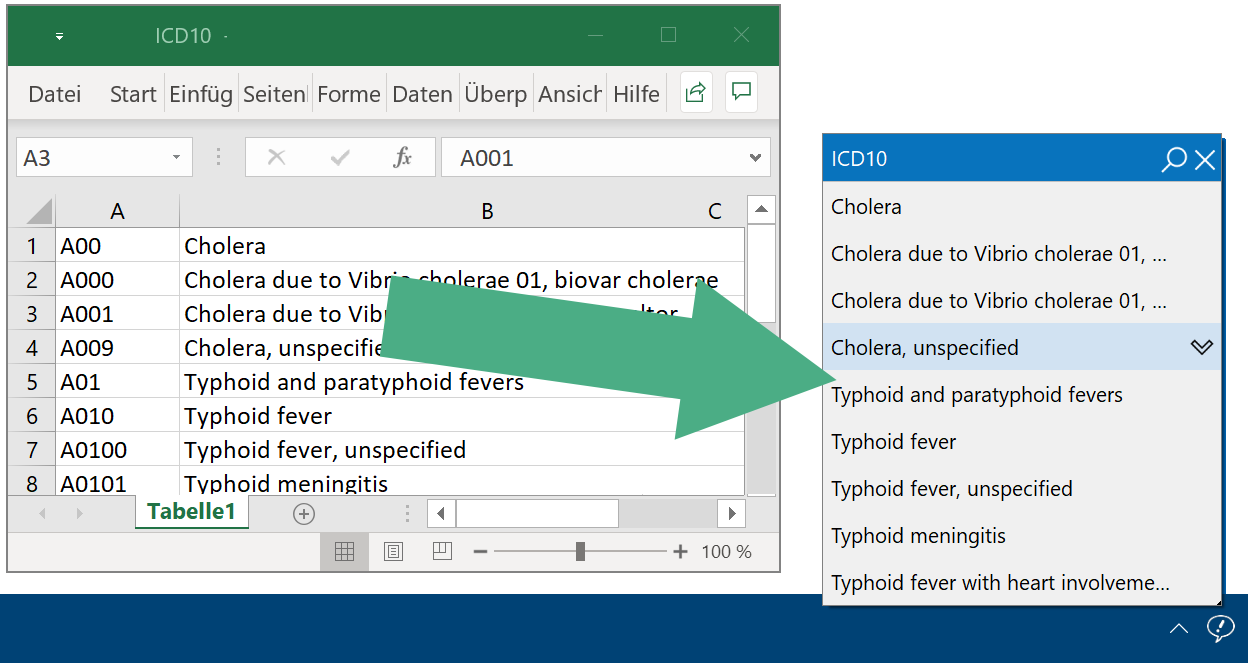
External Microsoft/Firebird SQL or MS Access databases, Excel XLS or CSV files can be linked into your phrase library.
The external data can be accessed in the phrase menu just like any other phrase.

Embedded Database Queries
The output result of a Microsoft Access/SQL/MySQL database query can be embedded into a phrase.
For example, PhraseExpress can prompt for an article number and retrieve the corresponding product description or price from your product database which is embeded in the phrase contents.
The database output will be updated on every phrase output, making sure, that the phrase contains the current data.
Settings Management
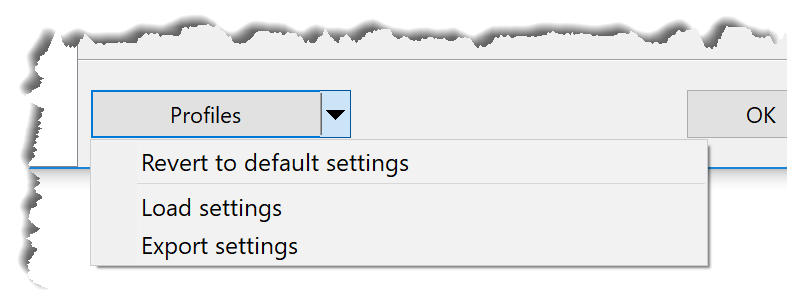
Program settings can now be saved into configuration files and restored with a click of a button.
Now you can switch between different configurations in no time.
Additional new features
- A Preview option now allows you to review the phrase output without leaving the PhraseExpress program window.
- The last form input can be restored.
- E-Mail macro can now send HTML formatted emails.
- New macro to embed output of http requests into a phrase.
- The calendar form control offers date shift options (e.g. "selected date +7 work days").
- Phrases can be switched into different language instantly without any lag.
- The selected spellchecking language is memorized for each phrase.
- Non-breaking spaces can now be entered with shortcut CTRL - SHIFT - SPACE .
- Multiple master users can now be defined if using PhraseExpress with a SQL server.
- Variables are discontinued and converted into phrases in a phrase folder "variables", allowing you to use other PhraseExpress features such as program or user access restrictions (additional important info).
- SQL server phrase databases can now be cached for use while being on the road.
- The main program window search feature now supports RegEx search queries.
- Updated components with numerous bug fixes and improvements.
Features introduced in v14
Following features have been introduced in the predecessor PhraseExpress version 14:
Lightweight Code-Free Phrases
No more clunky macro code.
- Slick macro tokens instead long lines of code.
- Better readability of your phrases.
- Seamless transition from the old macro system.
- Macros can be easily moved with drag & drop or copy & paste.
- No programming skills required to create powerful macro functions.
Forms Adapt As-You-Type
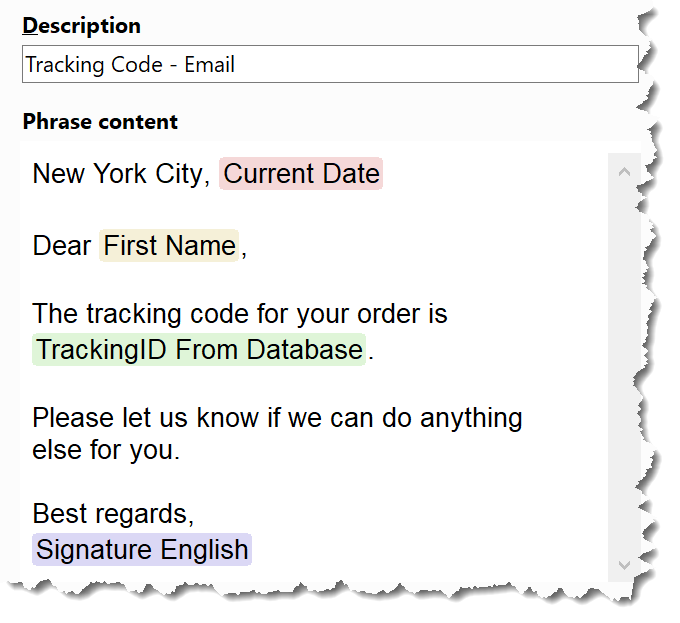
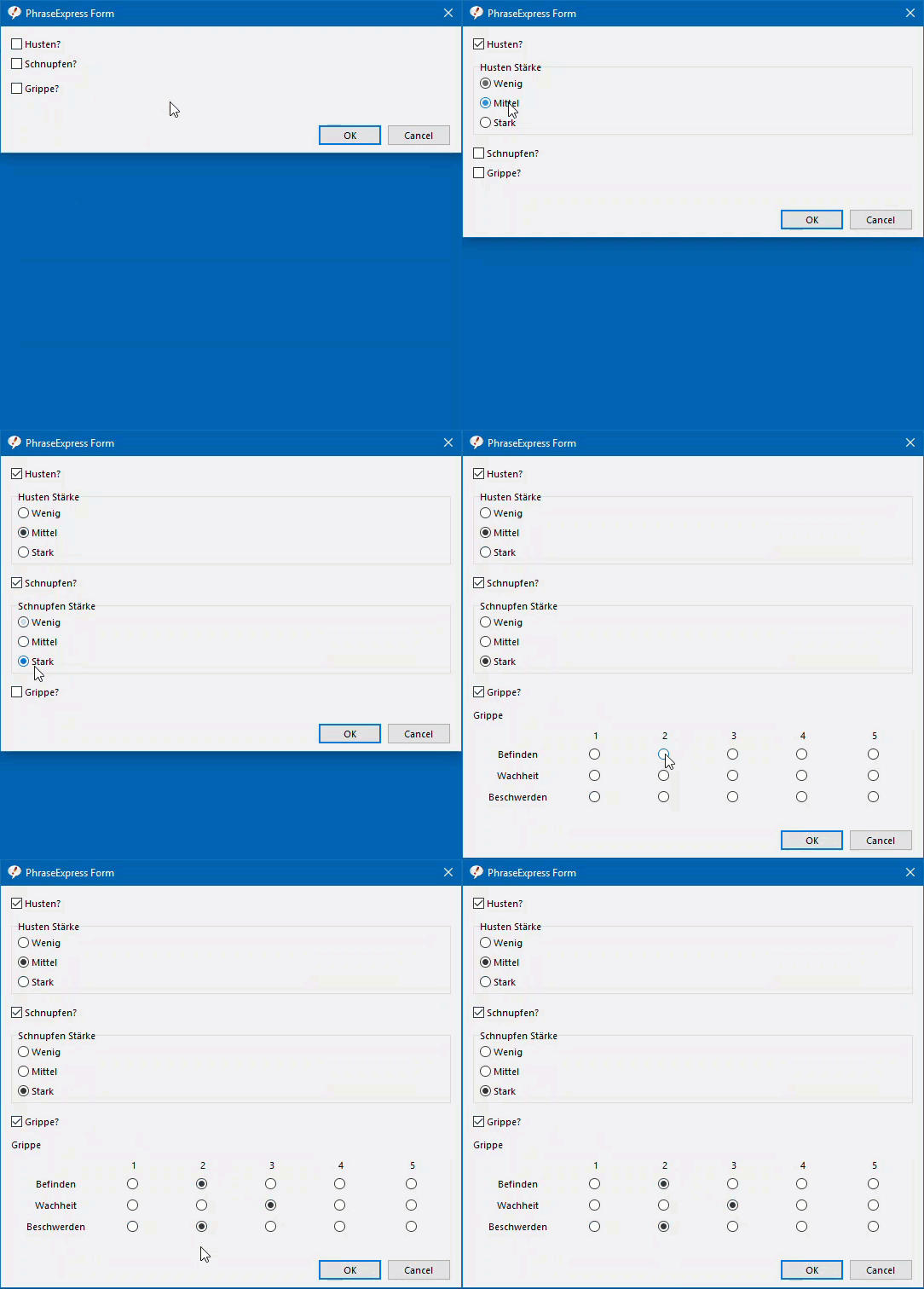
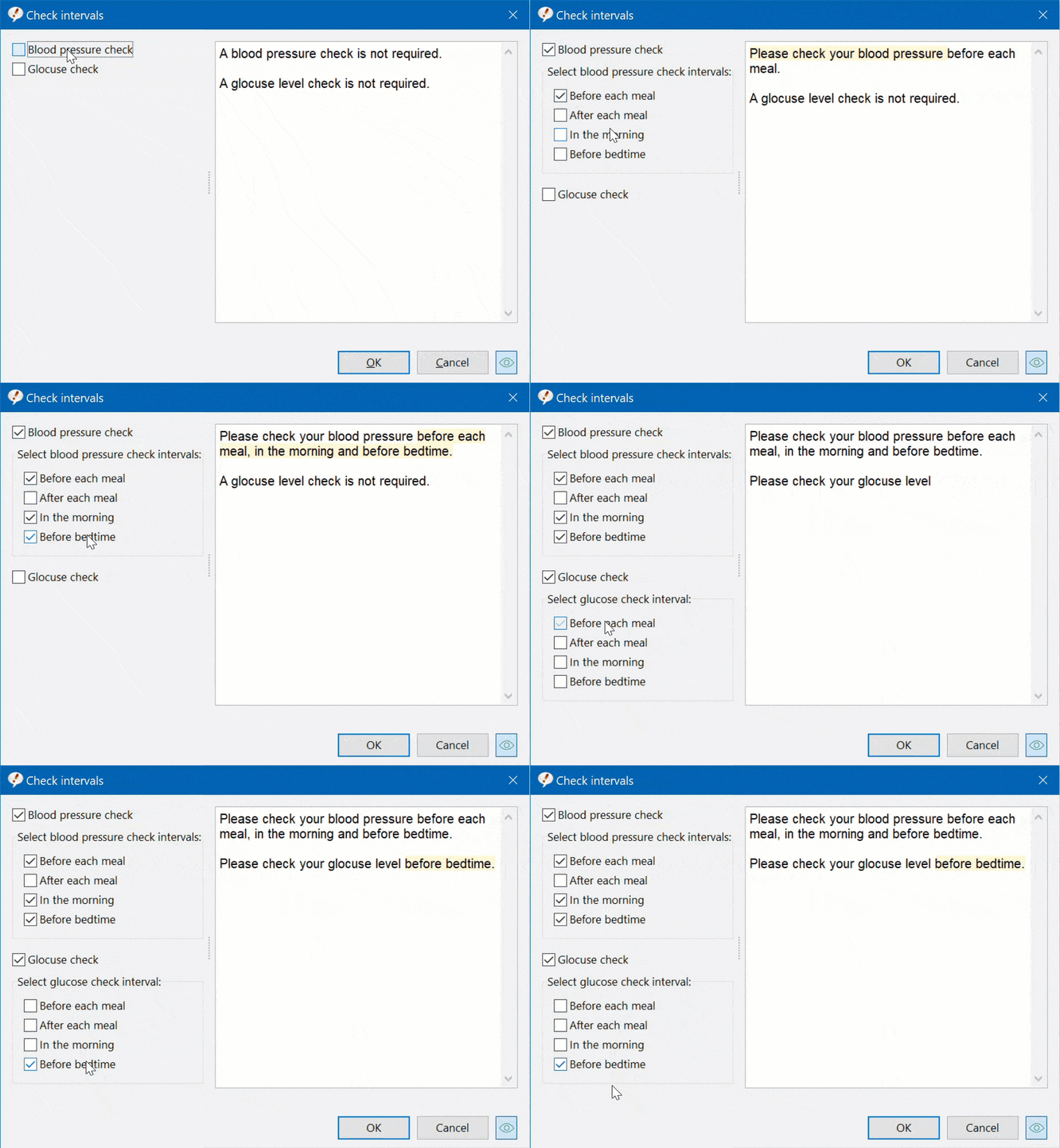
Input forms now only present input that matter and intuitively guide you as you fill-in the form.
Benefits
- Less distraction and more compact forms.
- Intuitive, dialog assisted data entry.
- No programming or quirky "if-then-else" code required.
- Drop-dead simple to configure. Promised!
Tabular Forms
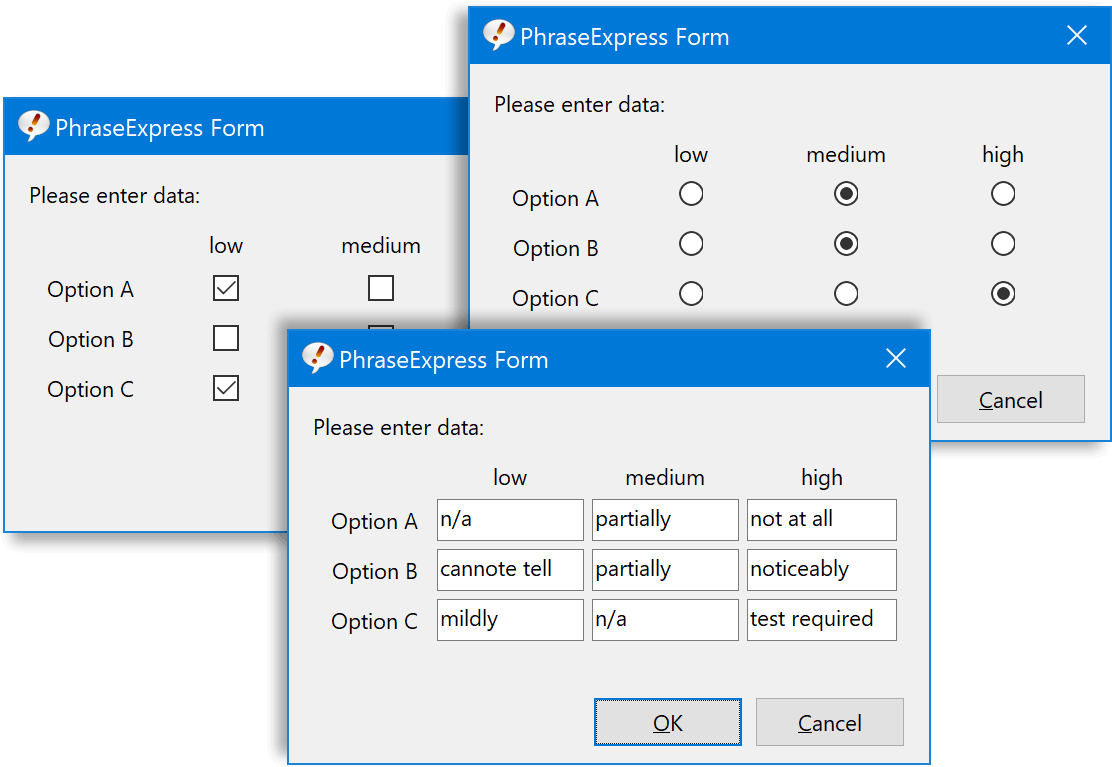
Forms can now include tabular input with radio buttons, checkboxes or text input.
Form Output Preview
The output preview updates in real-time as you fill-in the form, so you get the full picture about what is about to be inserted into your target application.
AI-powered Text Translation
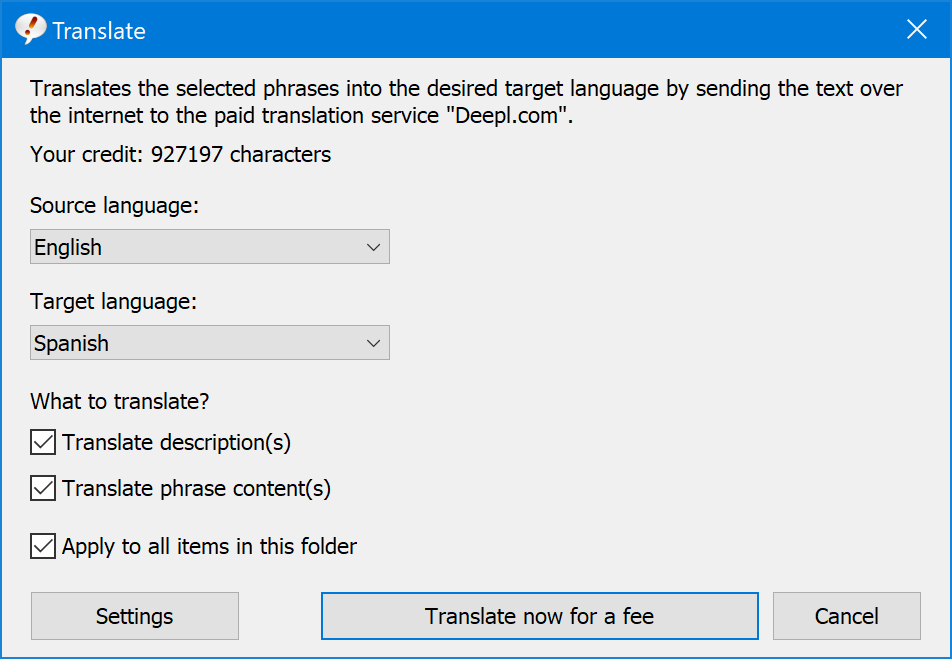
PhraseExpress supports the AI-powered paid service Deepl to translate phrases, entire phrase levels and any text into English, German, French, Italian or Polish language.

Macro Recorder Support
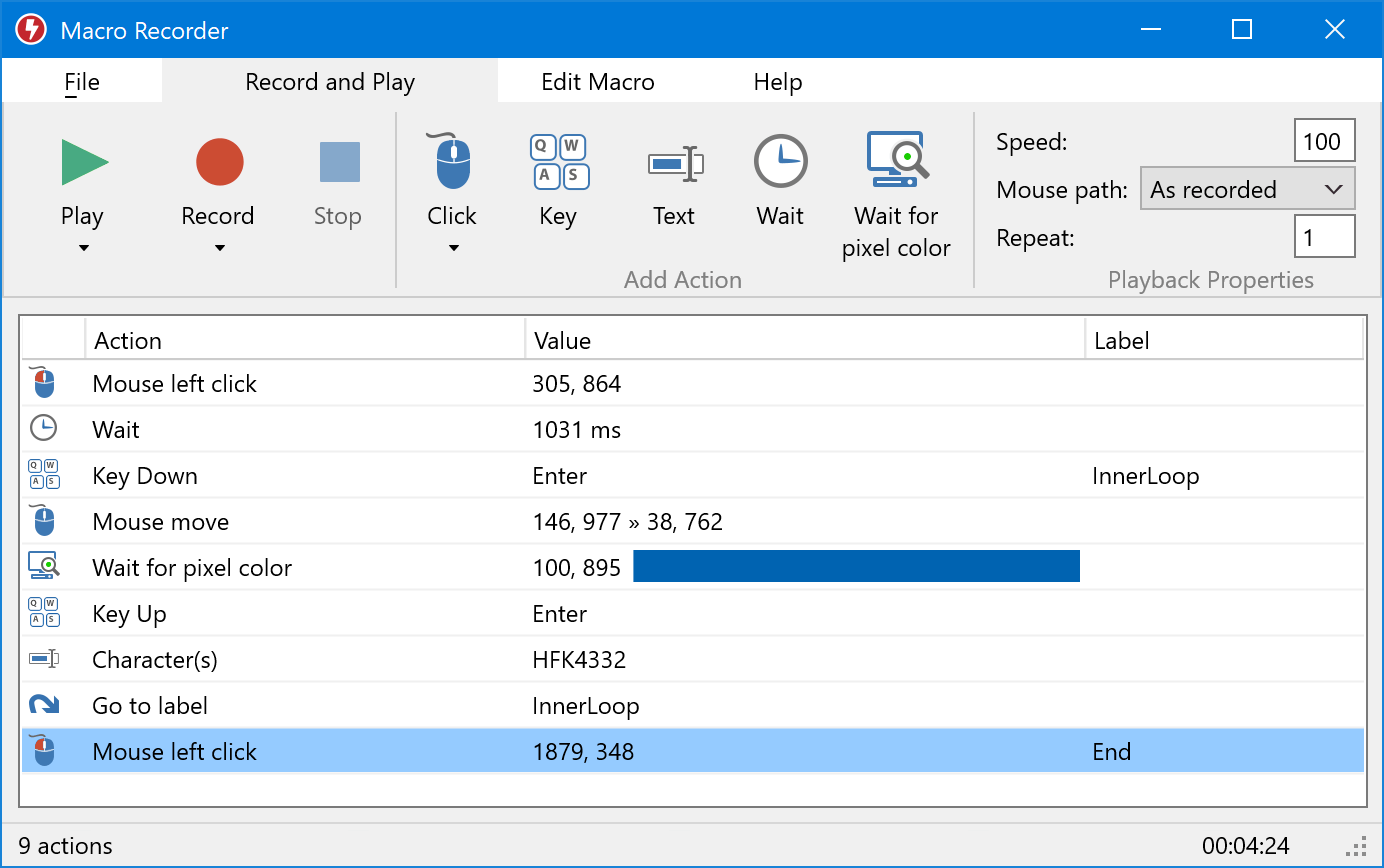
PhraseExpress v14 can integrate the powerful automation software "Macro Recorder".
Like a video recorder, Macro Recorder records recurring workflows that you call up in PhraseExpress using autotext, hotkeys or macro functions (more info).
Intuitive Snippets Linking
Phrases can now be linked and nested by addressing them by their description (instead of using autotext as identifiers).
- Bullet-proof phrase identification, which works even across different phrase files or databases.
- Changes to autotexts do not infere with any phrase linking anymore.
- No more ugly dynamically generated autotexts for phrase linking purposes.
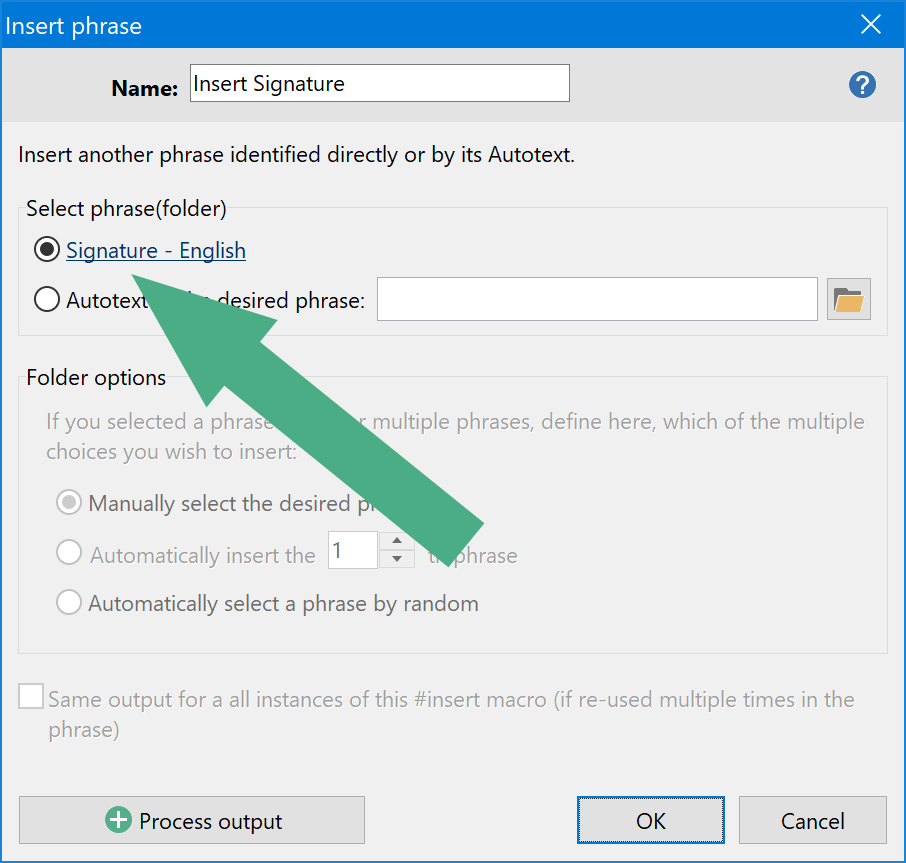
- No need to manually define IDs. Simply drag phrases into other phrases to nest them.
If-Then-Else
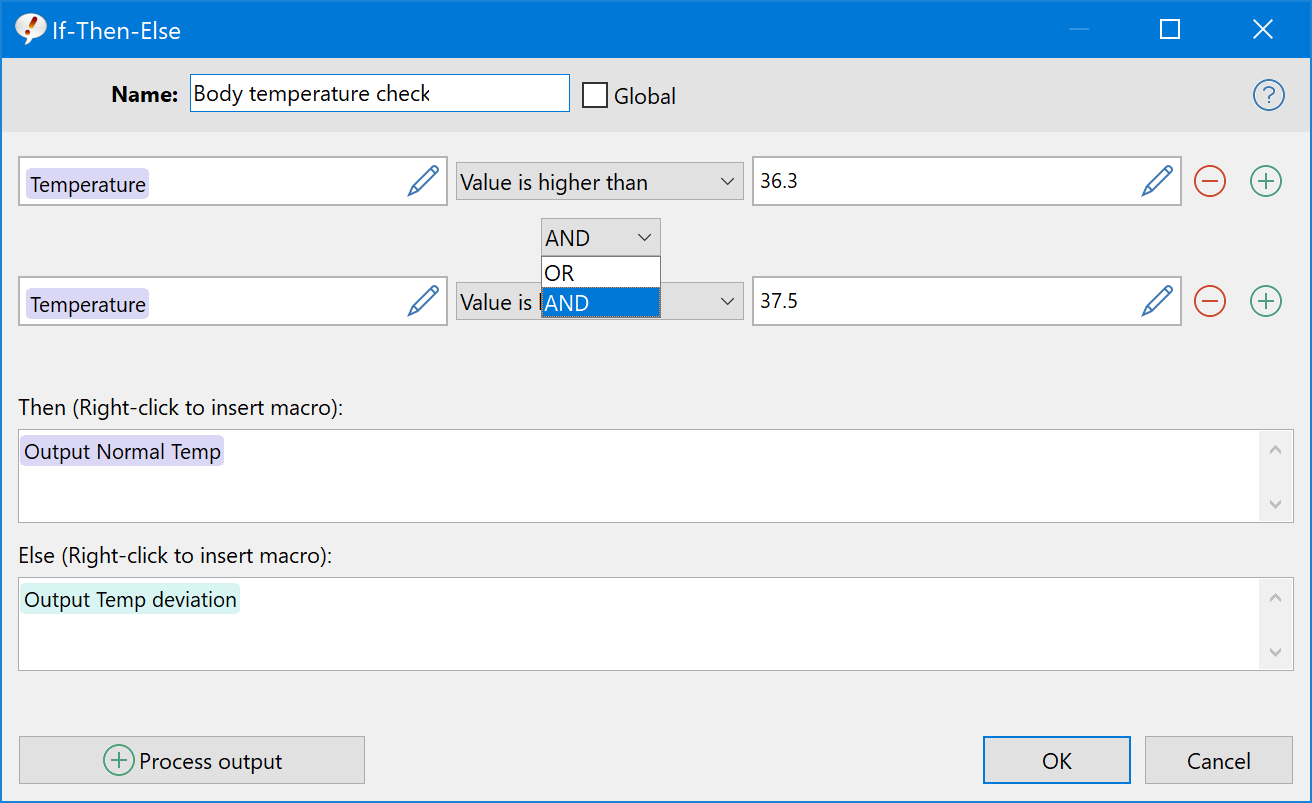
The new "If-Then-Else" provides you with additional flexibility when you need to compare different conditions. Each condition can be linked with "and" or "or" logic. Of course, each input box can contain additional macros.
Date stamps in multiple languages
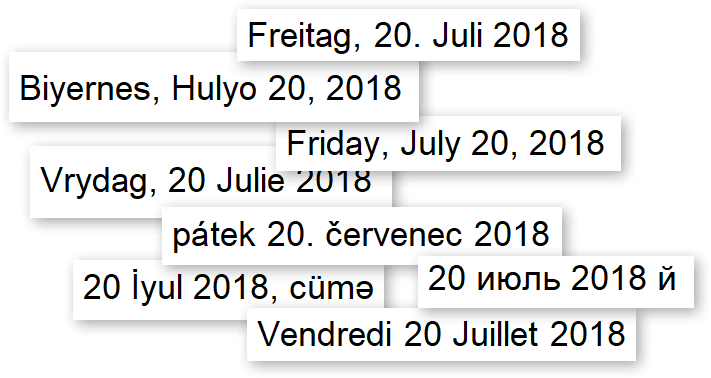
The date stamp feature can now output day and months names, such as "Monday" or "February" in a variety of languages.
Multi-tab editor
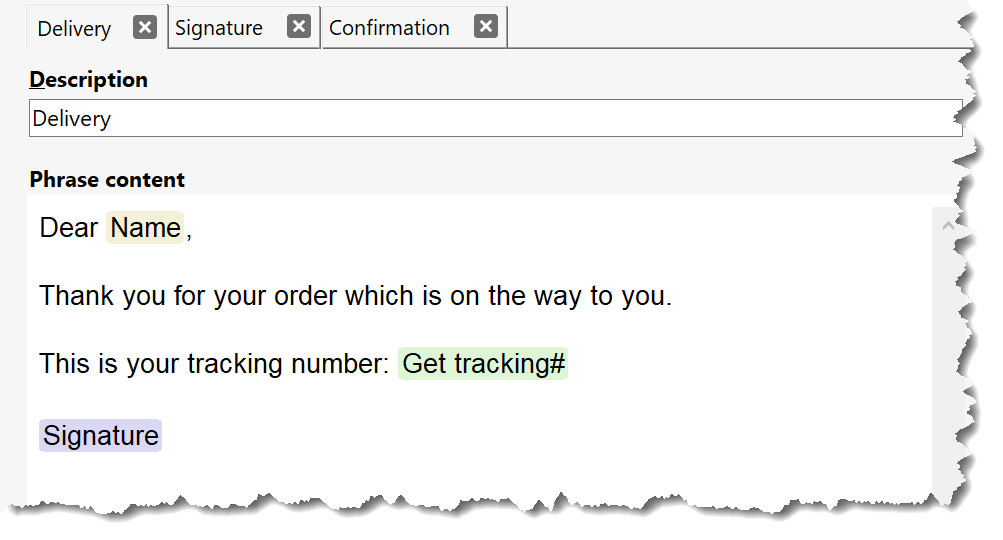
The new multi-tab editor lets you toggle between multiple phrases with ease.
- Open all phrases for review like a to-do list.
- Keep multiple phrases open to easily transfer content.
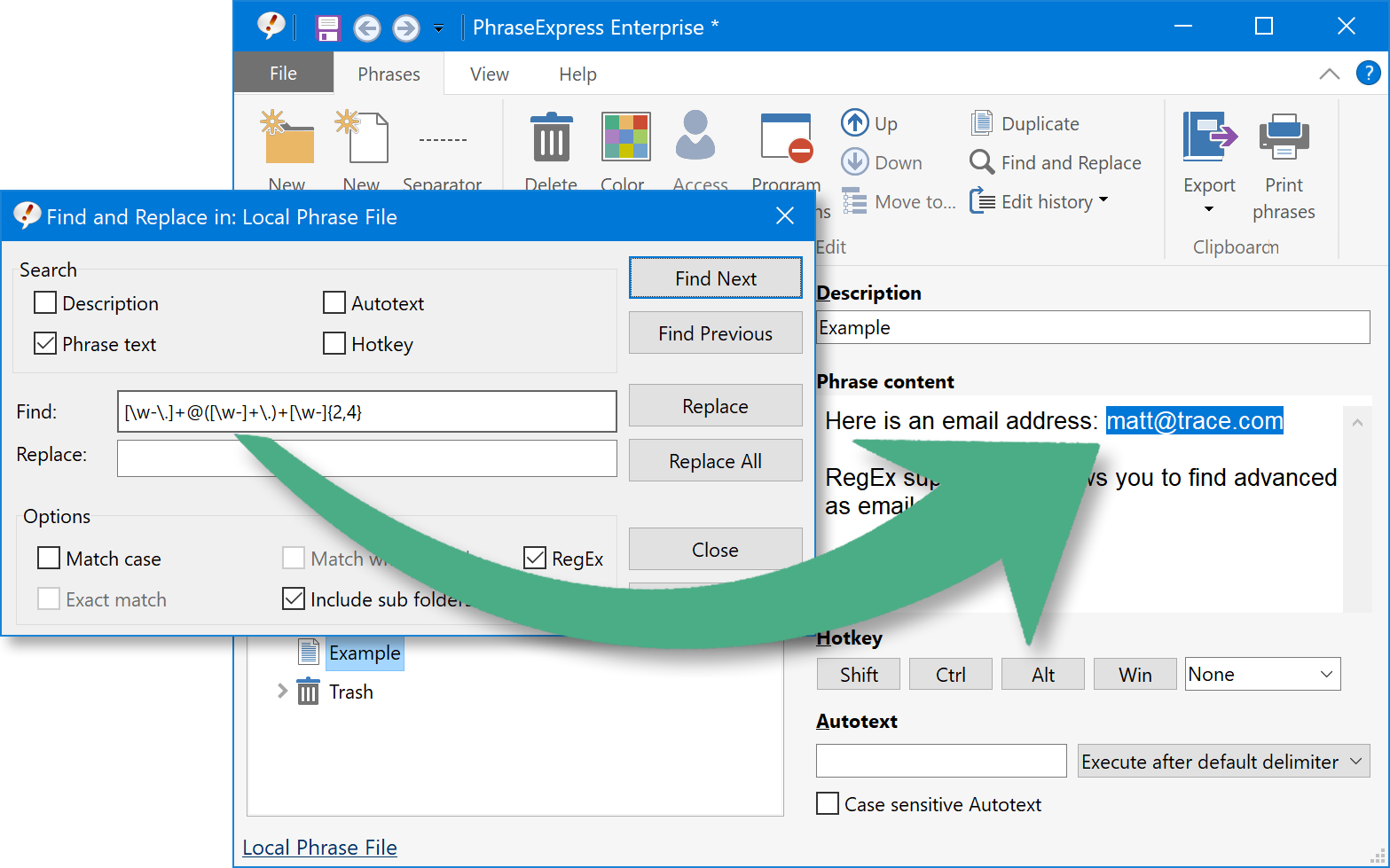
RegEx support
The new RegEx enables users to perform sophisticated search queries and string operations:
- Search for all email addresses in your phrase library.
- Perform a query to find variations of a specific word, e.g. "auto" and "autos" but not "automobiles" and "automatic".
- Find all matches of a specific character sequence, e.g. IP addresses or order numbers in a specific format.
Improved Spell Checking
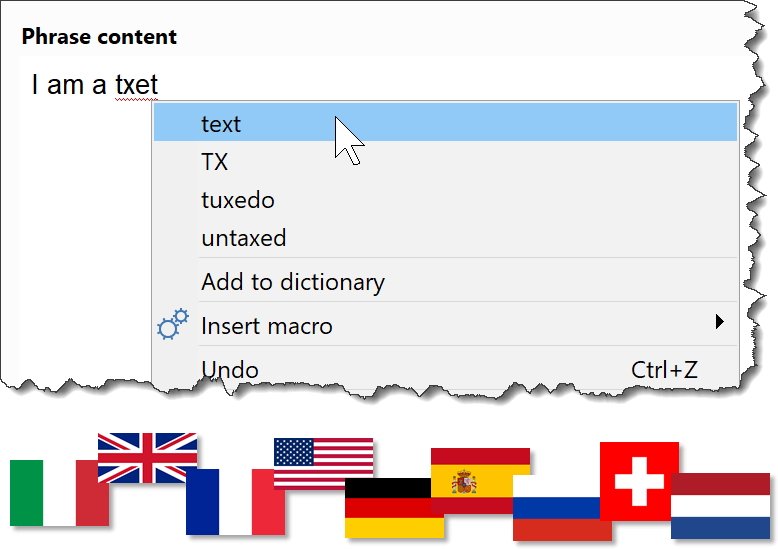
Enjoy automatic spell checking in real-time as you enter text templates in PhraseExpress.
PhraseExpress can spell-check now in nine languages and additional languages can be easily added.
The spell check libraries contain thousands of spelling corrections and can be extended with custom words with a click of a button.
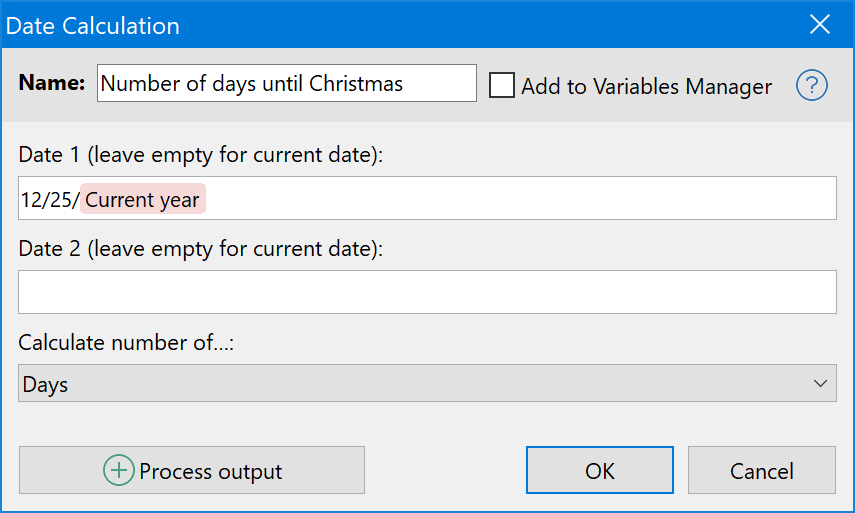
Date Calculations
PhraseExpress can now calculate the number of days, weeks, months, years or work days between two provided dates.
PhraseExpress for Mac v3 compatible
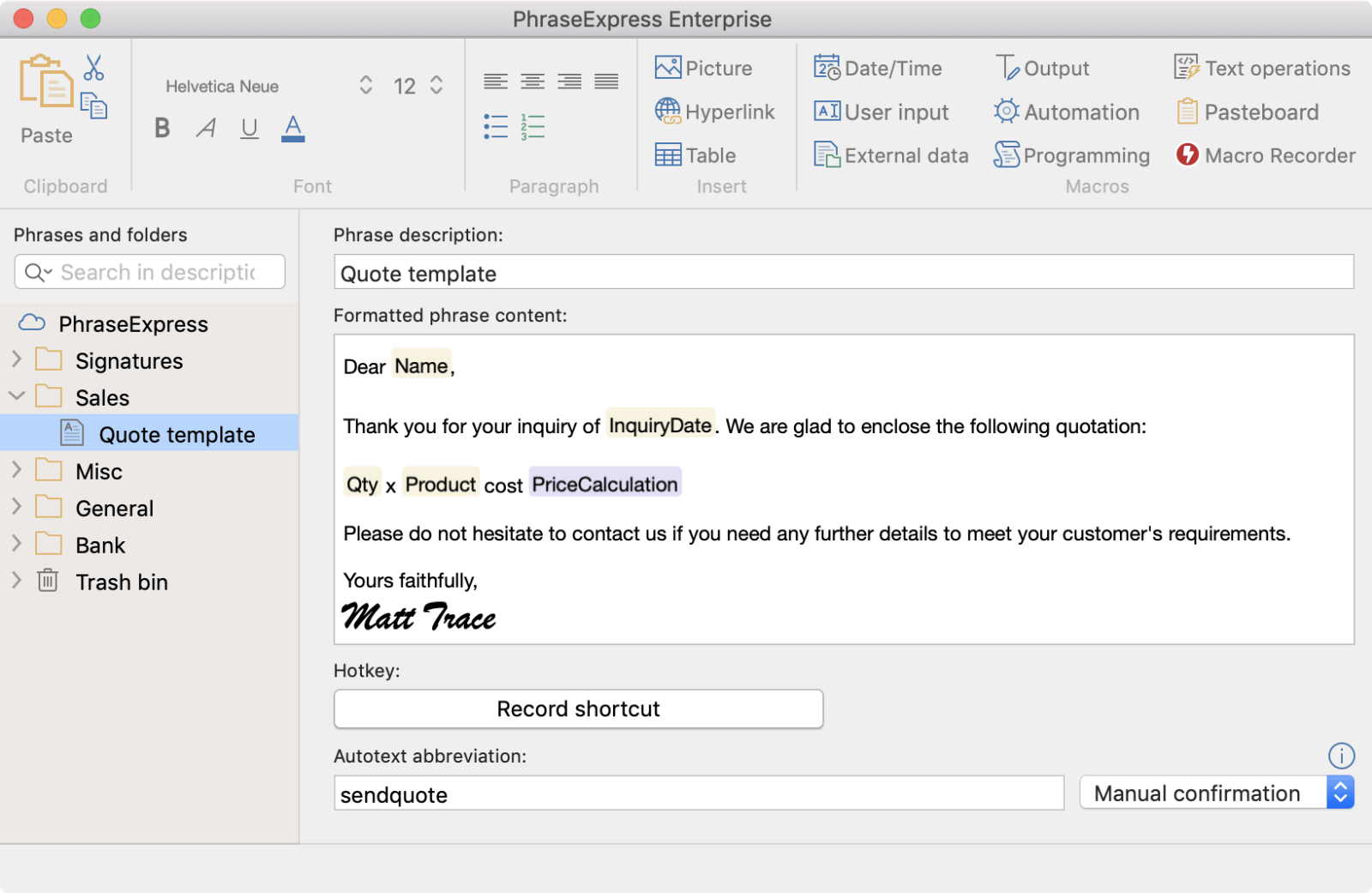
The latest version maintains and extends compatibility with the Mac counterpart.
- Formatted text phrases (without bitmaps) can be synchronized between Windows and Mac.
- The Mac version supports the new macro token system for a seamless data exchange.
- License keys can now be used for either Mac or Windows.