Autocomplete repetitive words and phrases
PhraseExpress can suggest to auto-complete often used phrases.
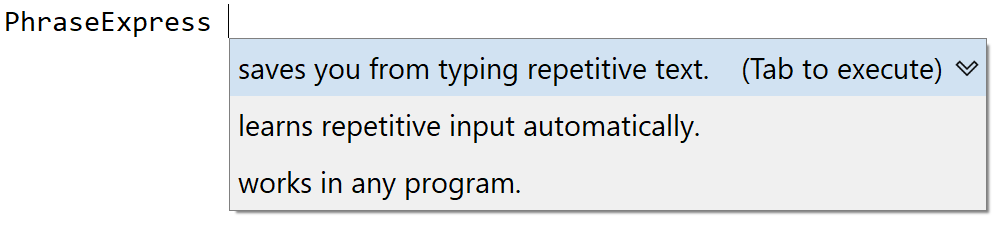
Self-Learning Auto-Complete
You don't need even to define autocomplete text in PhraseExpress. PhraseExpress saves you from creating text snippets and you can start enjoying the productivity benefit right from the start.
PhraseExpress detects repetitive text input automatically and starts suggesting auto-completion of recurring phrases.
PhraseExpress intuitively figures out what you may want to type next and displays most likely continuations. The choices narrow down as you continue typing.

Immediate Autocomplete
Existing text documents or emails sent with Microsoft Outlook can be used to train the autocomplete algorithm, delivering instant results.
PhraseExpress extracts sentences and phrases from your content, filtering them based on adjustable length and frequency.