Screenshots – Main program window
Click any thumbnail for a larger version…
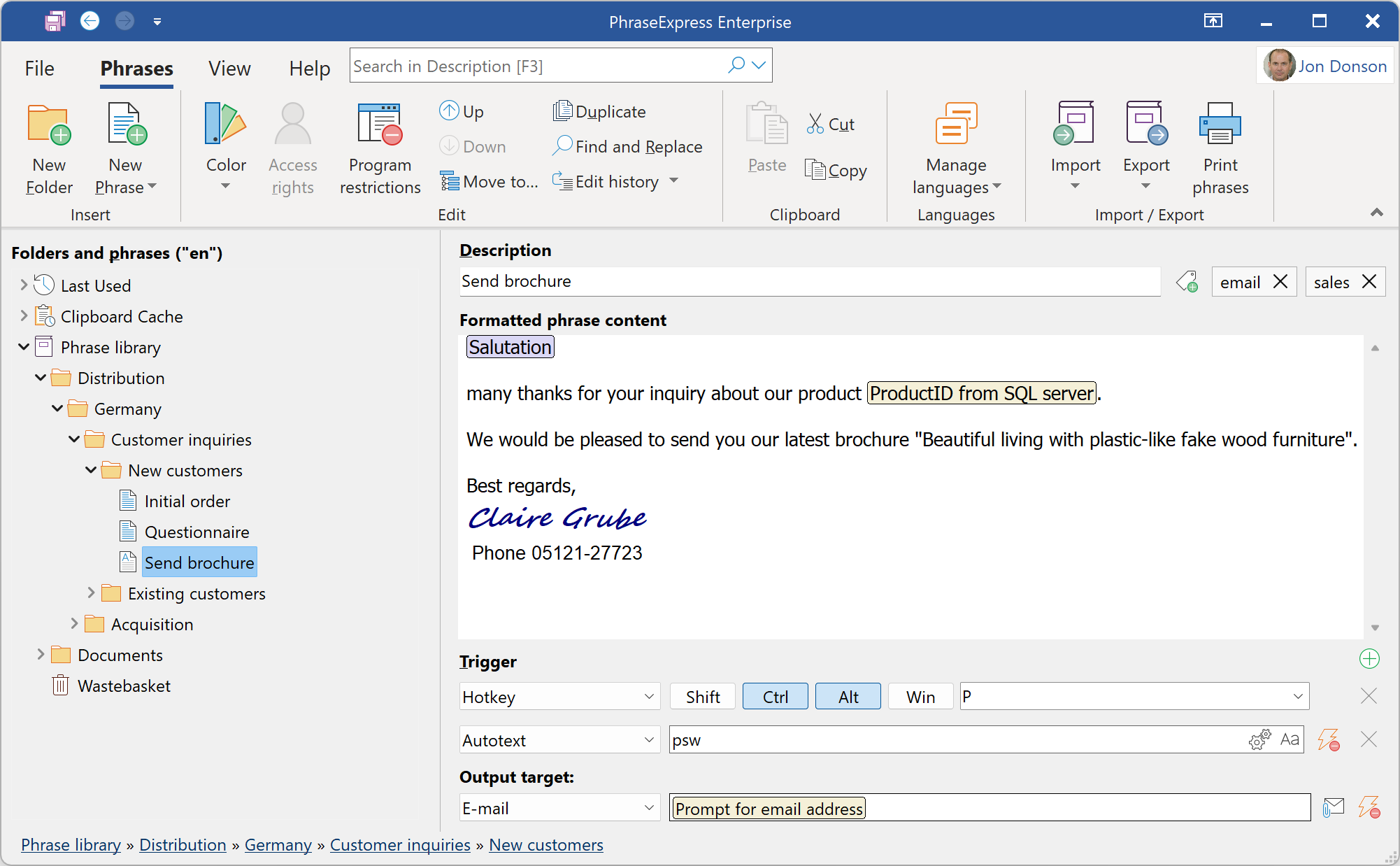
Main program with text formatting options and macro functions main menu
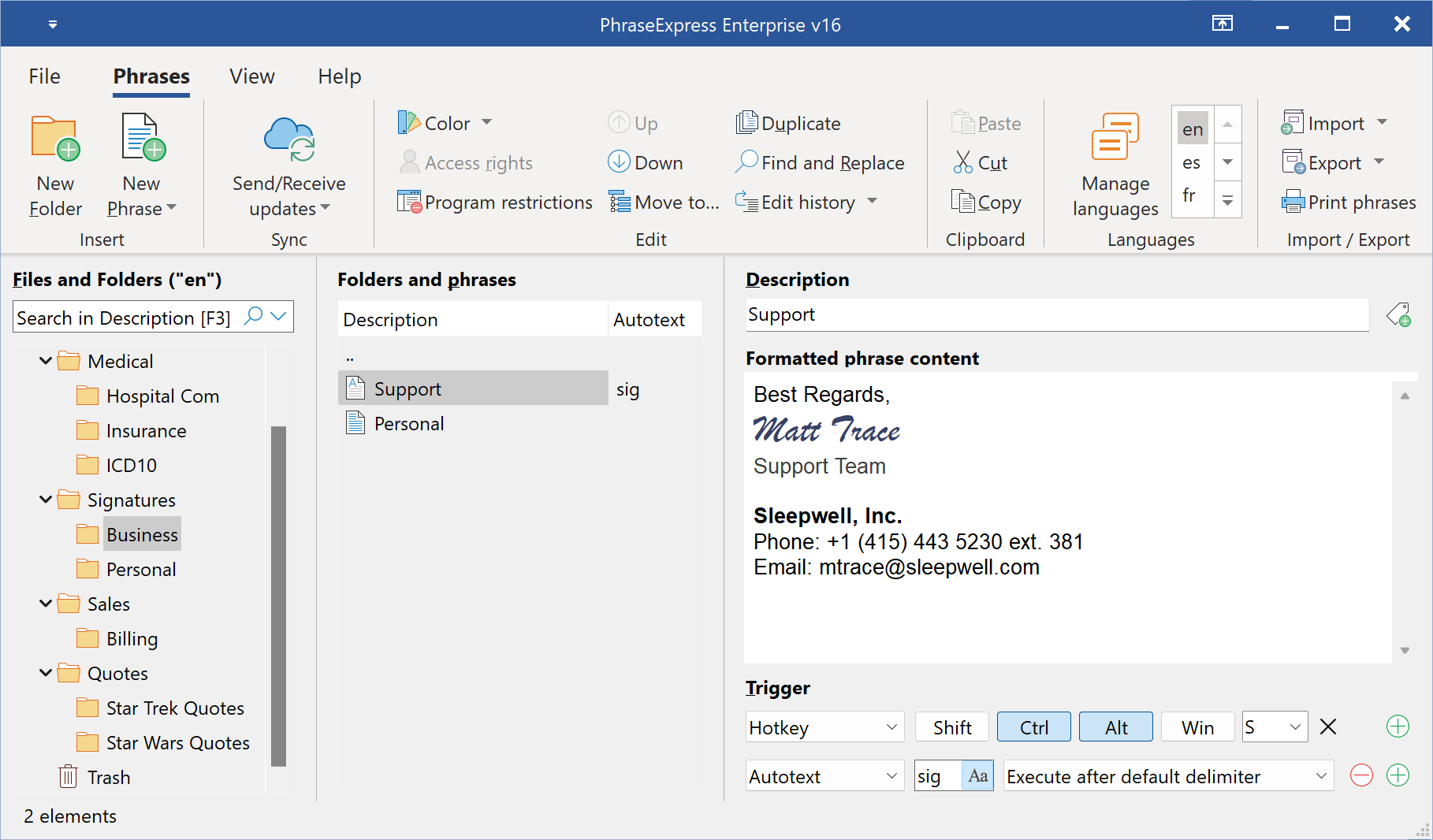
Main program with alternative display option that shows phrases separated form the folder tree
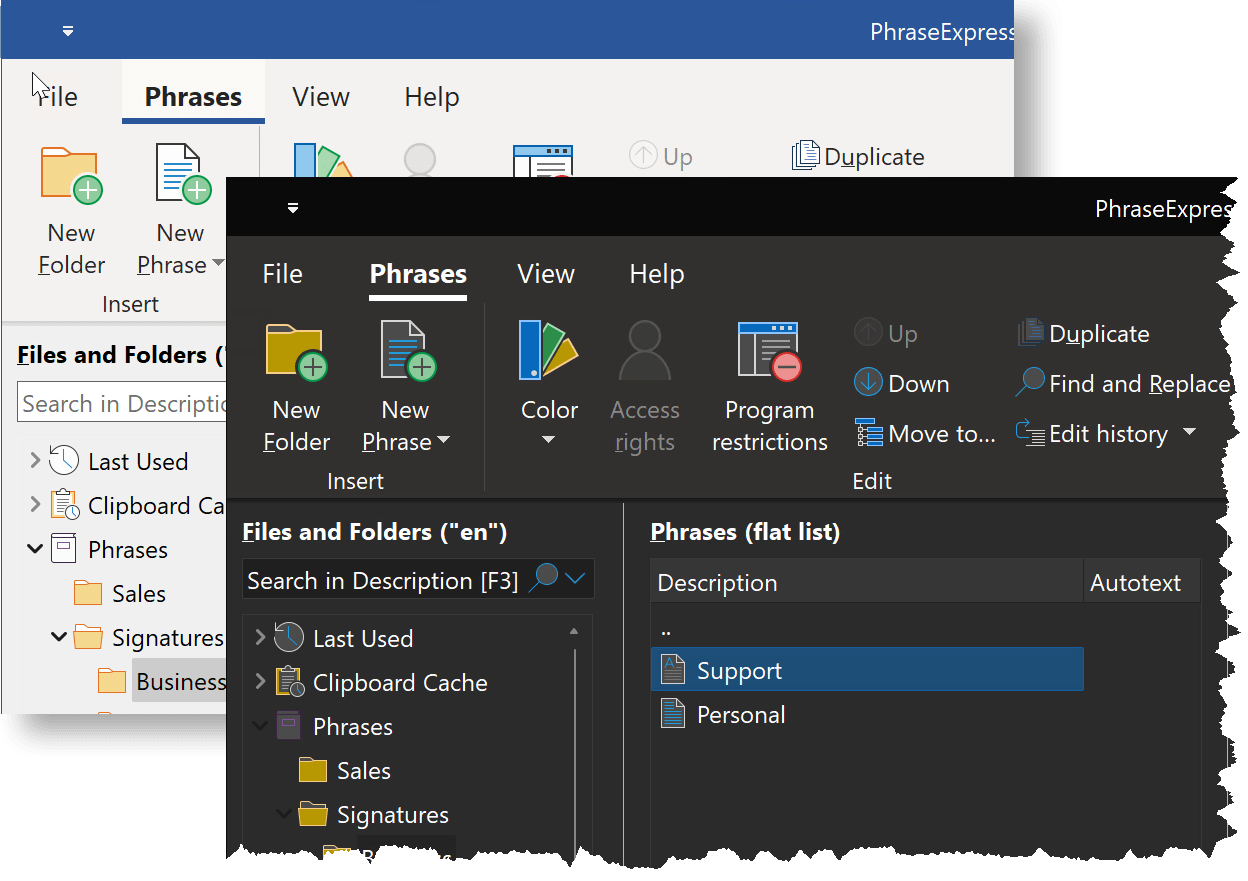
PhraseExpress supports the dark mode with adapted icons
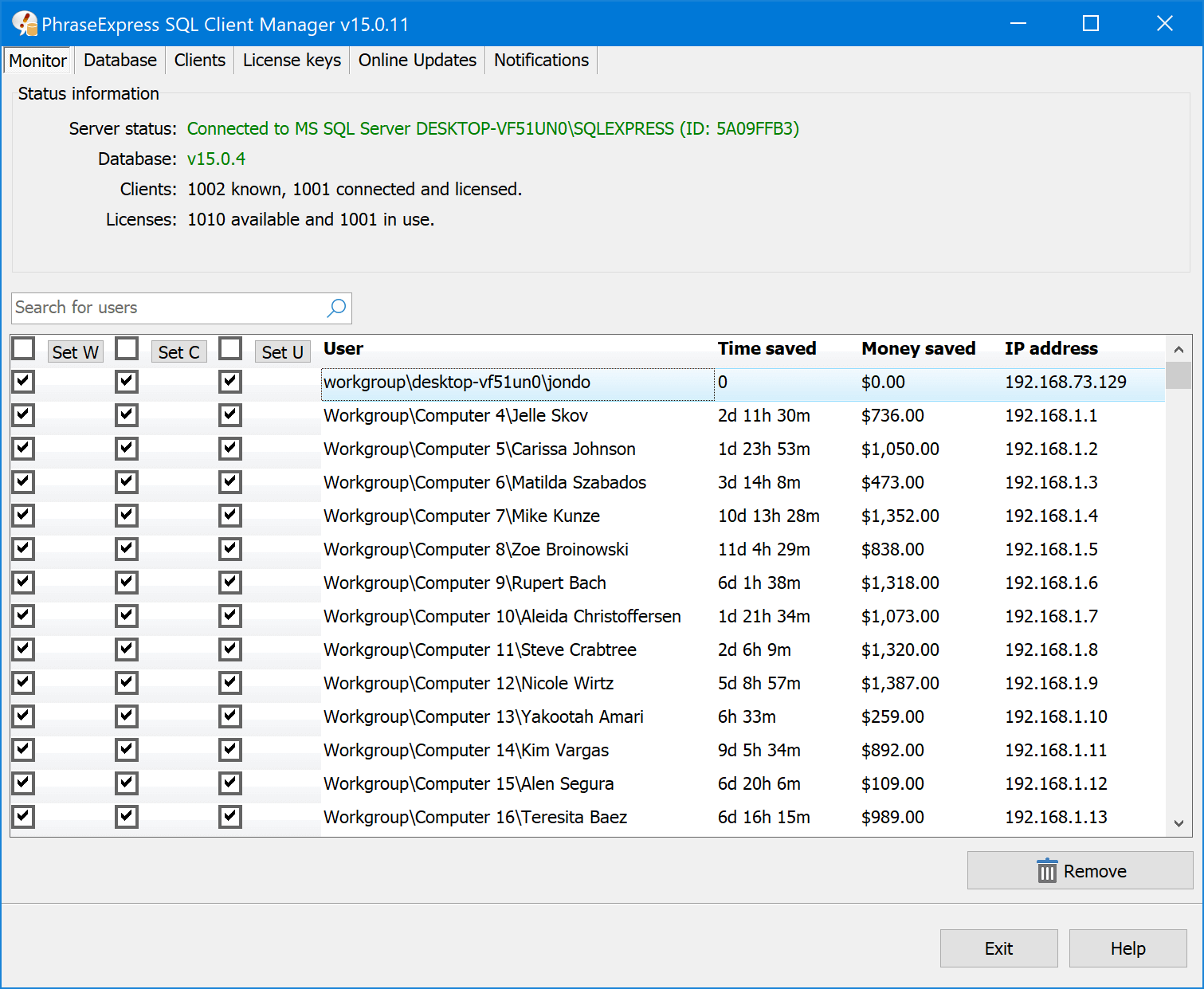
The SQL Client Manager manages users, licenses and settings if phrases are hosted on a Microsoft SQL server.
Screenshots – Features
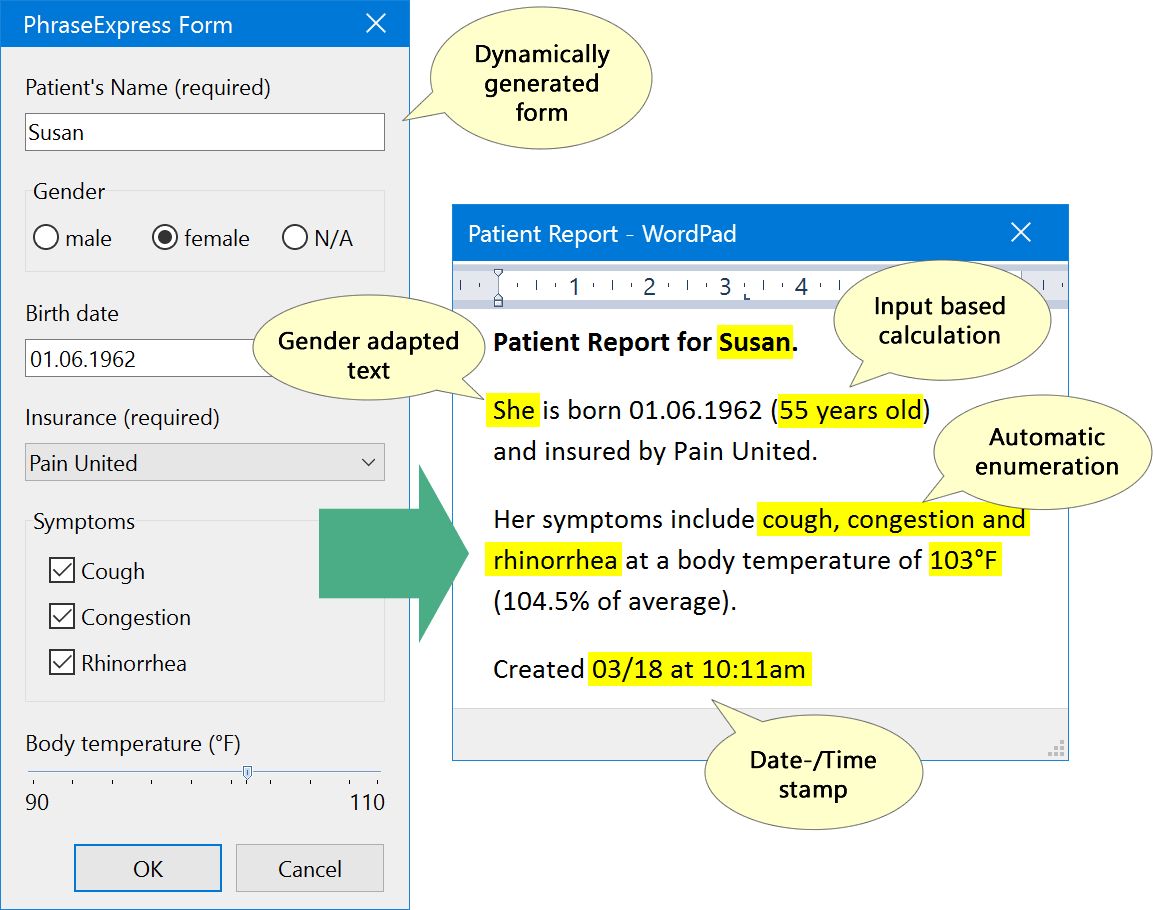
Custom forms can embed user input into the text template.
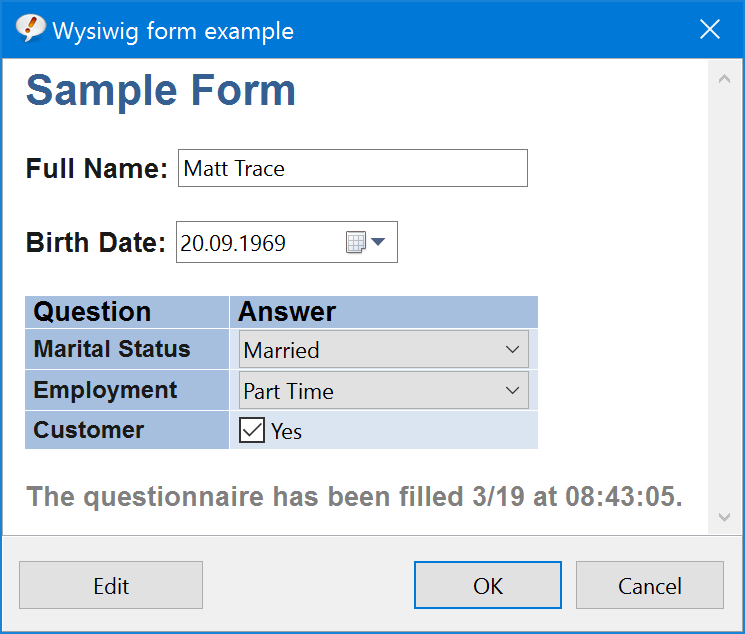
Graphical WYSIWYG forms allow you to freely arrange input controls.
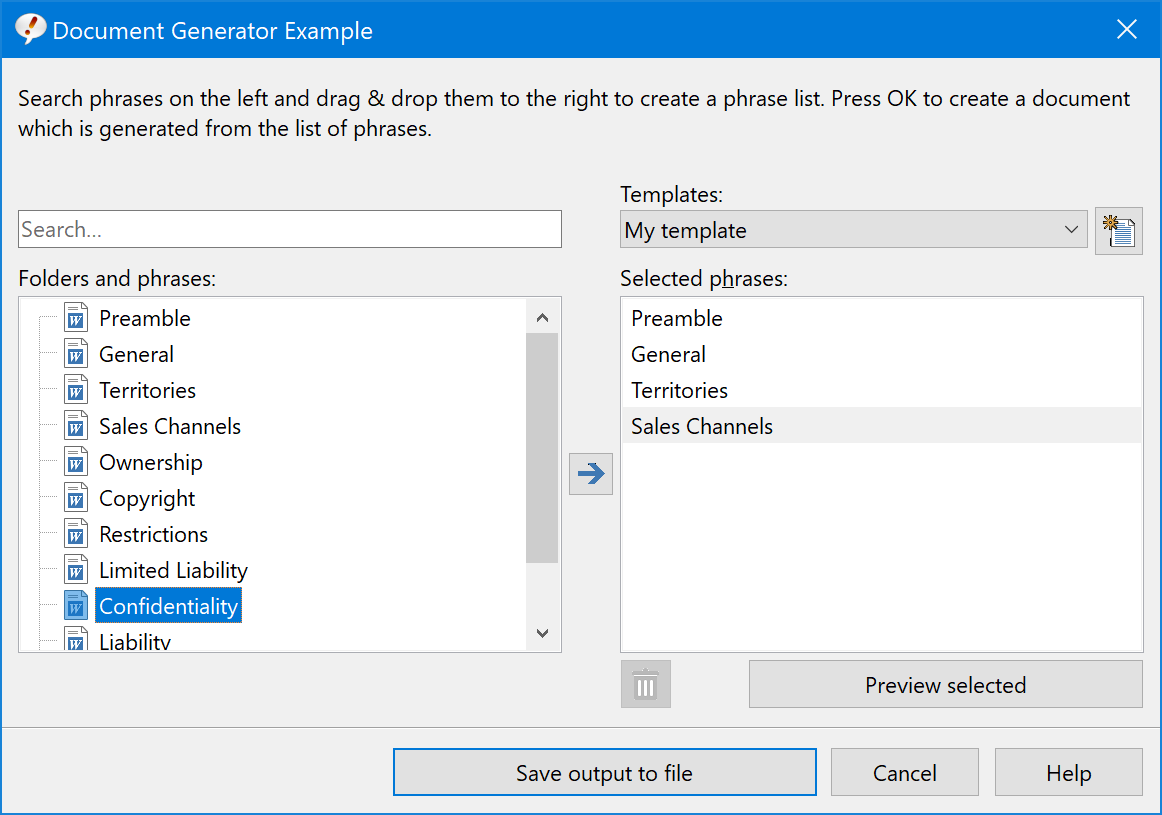
Create entire Word documents based on lists of templates you build easily with Drag & Drop.
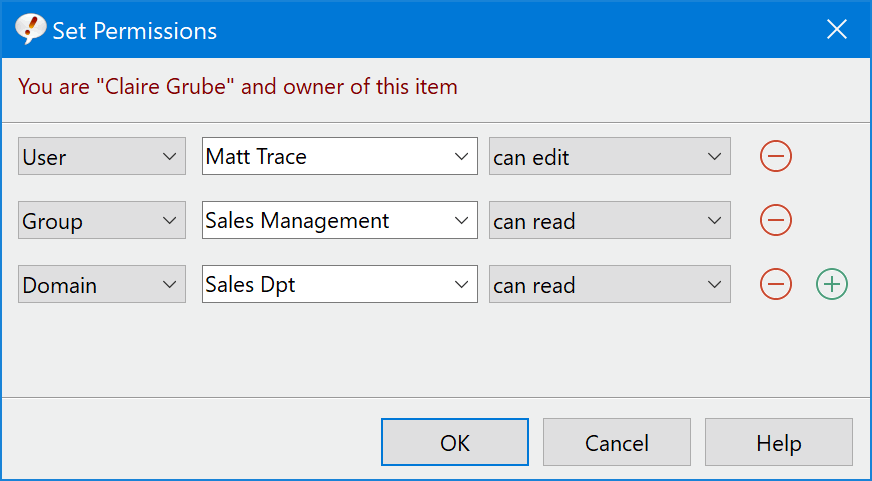
Share phrases and restrict access to specific users, workgroups or domains.
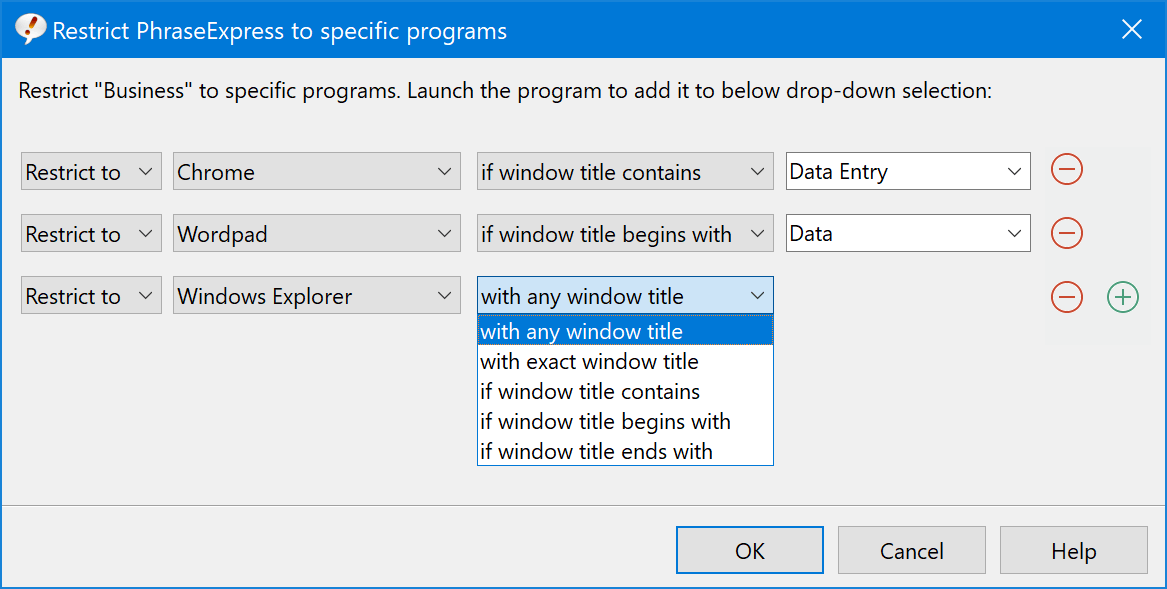
Restrict the scope of specific phrases to a customizable set of target applications.
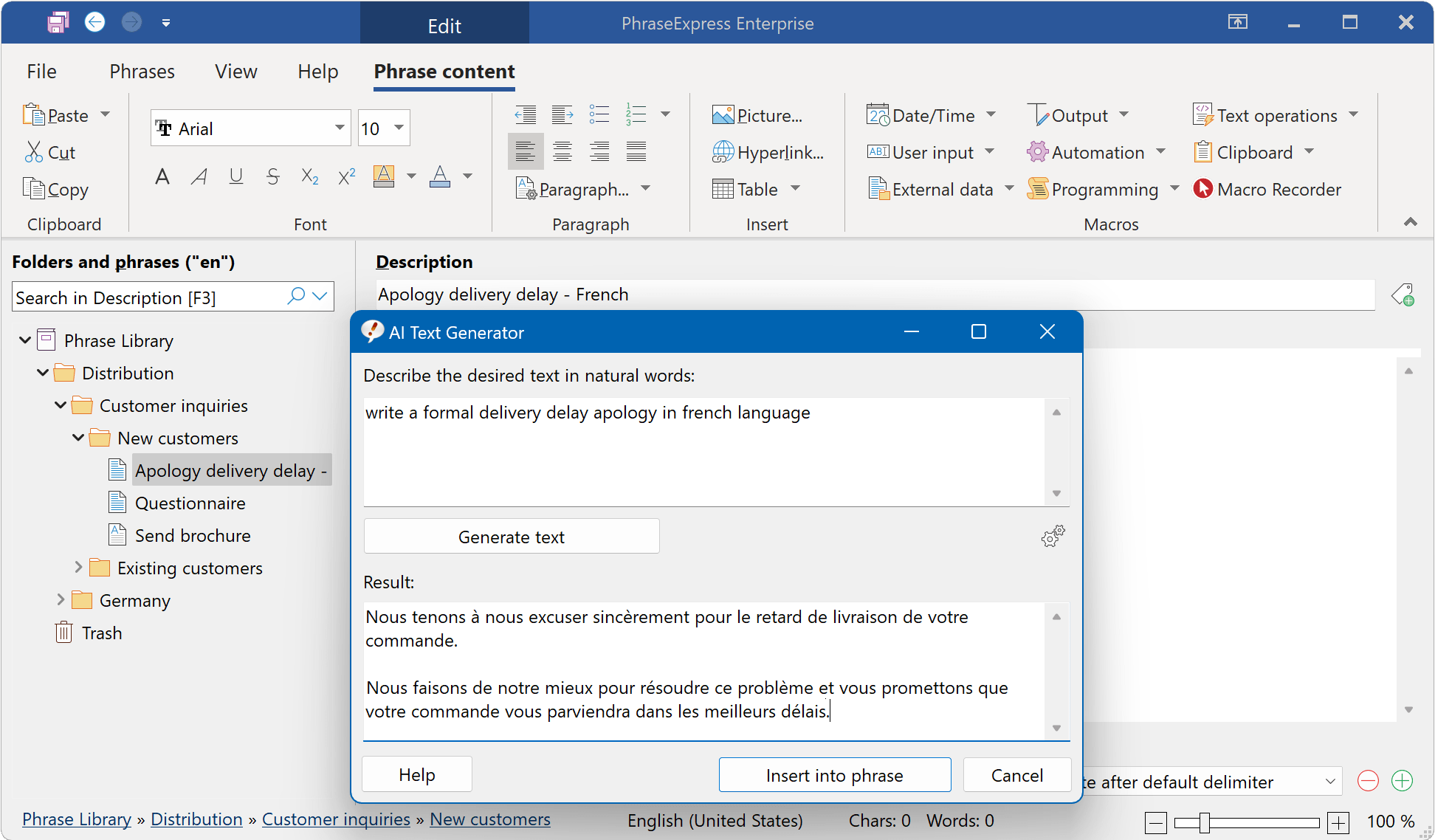
PhraseExpress integrates OpenAI to generate new phrases based on a natural description
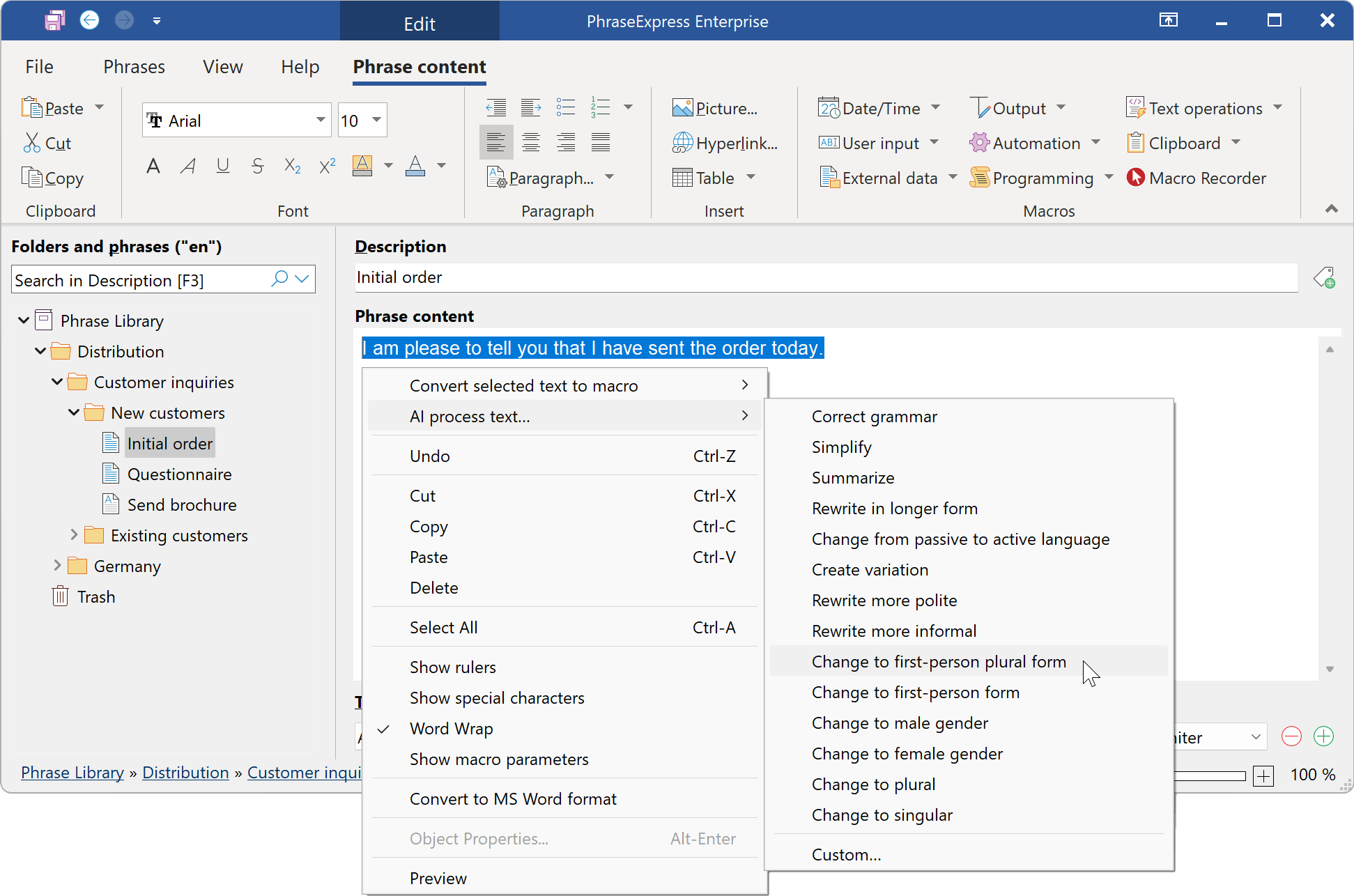
PhraseExpress integrates OpenAI to rewrite/shorten/expand/translate your existing phrases.
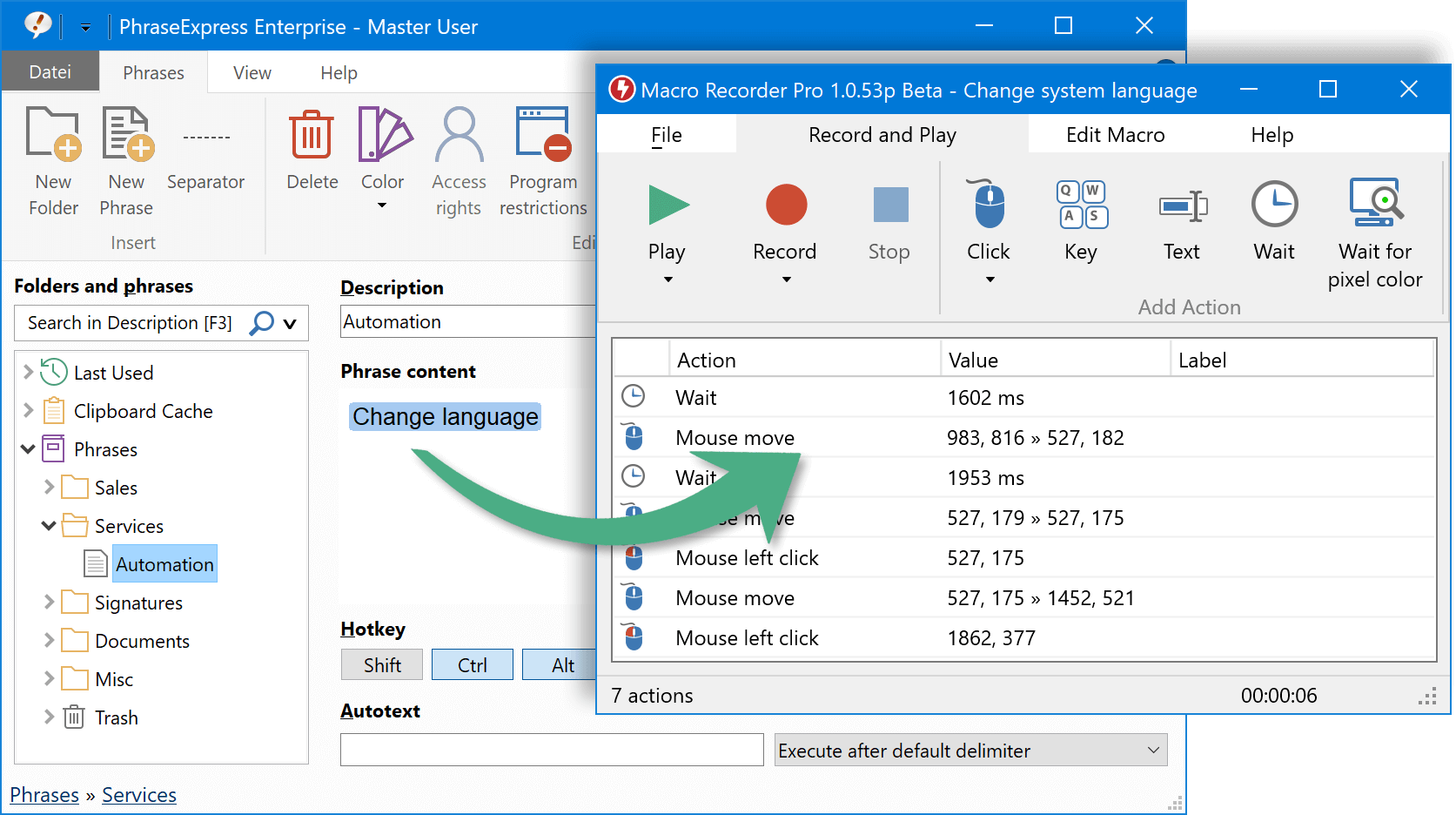
PhraseExpress can integrate a Macro Recorder to record and playback repetitive procedures.
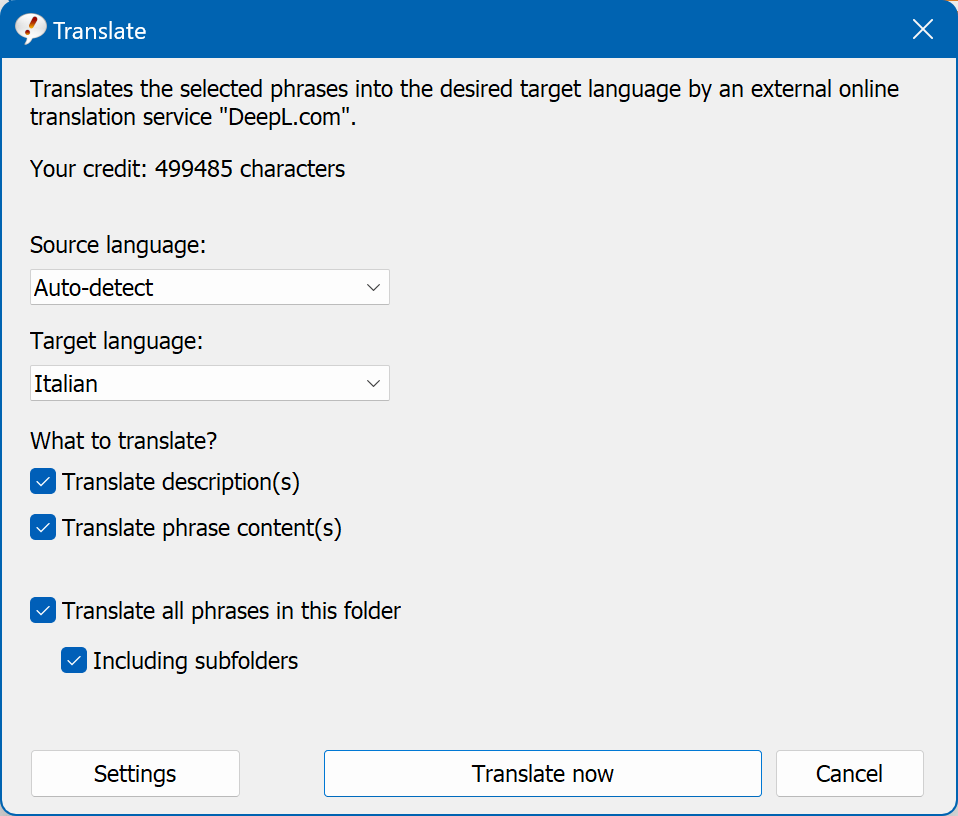
PhraseExpress can translate the language of your entire phrase library with the online service "DeepL".
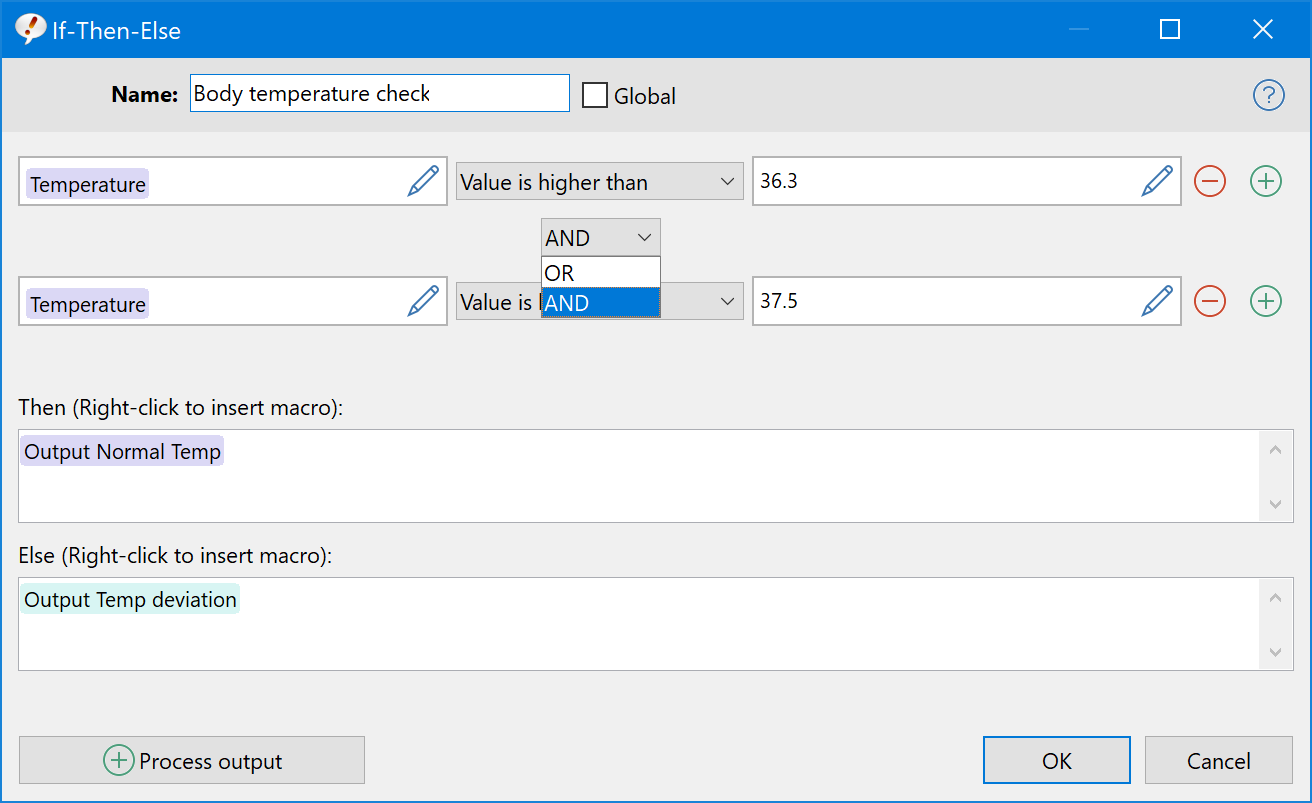
Powerful macros functions allow you to create sophisticated text automation tasks.
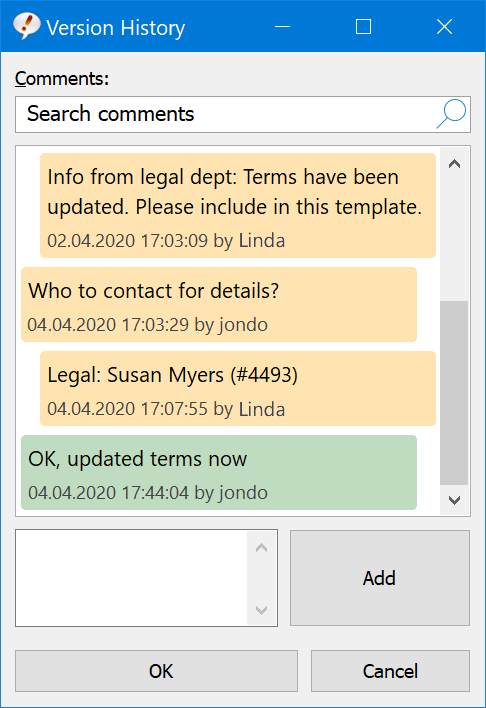
Phrase contents can be discussed in the team and any earlier edit version can be restored.
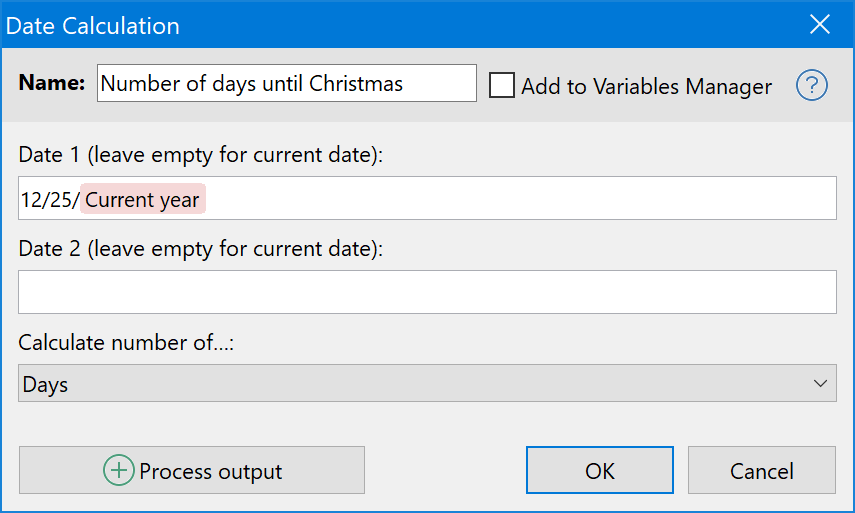
PhraseExpress can calaculate the number of days, word days, weeks, months and years between two given dates.
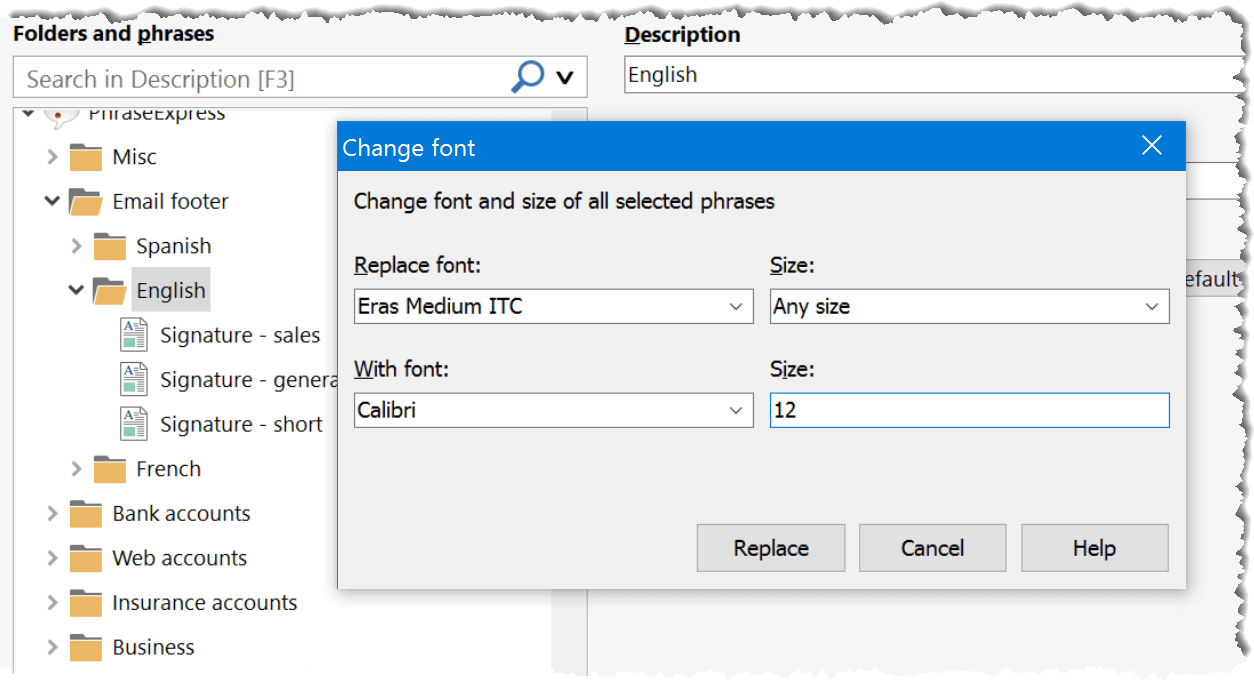
The font (size) of all or specific text templates can be changed in one single action.
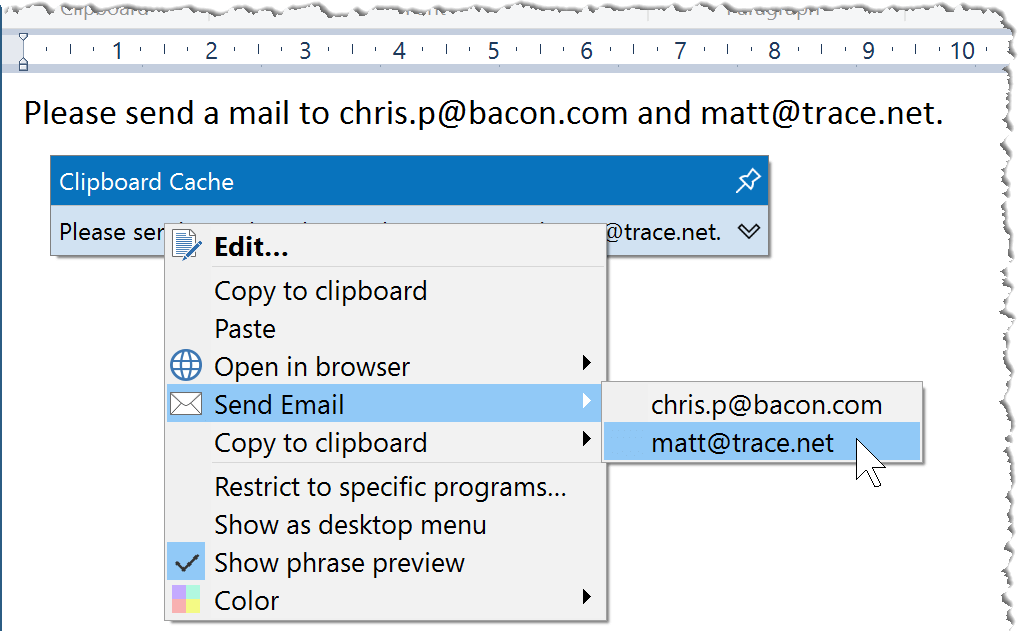
The clipboard manager can extract email address from the clipboard content to provide powerful extra functions.
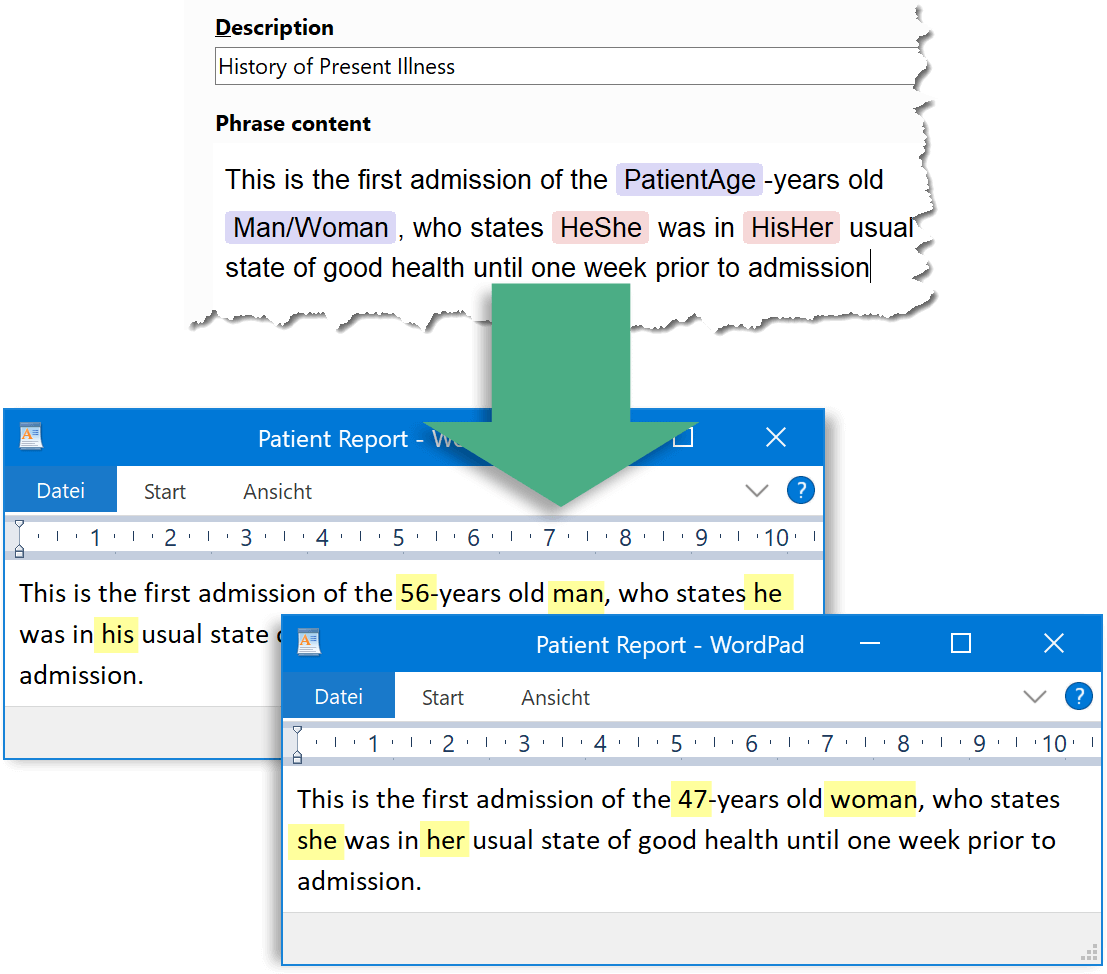
Place holders are replaced with the desired gender as required
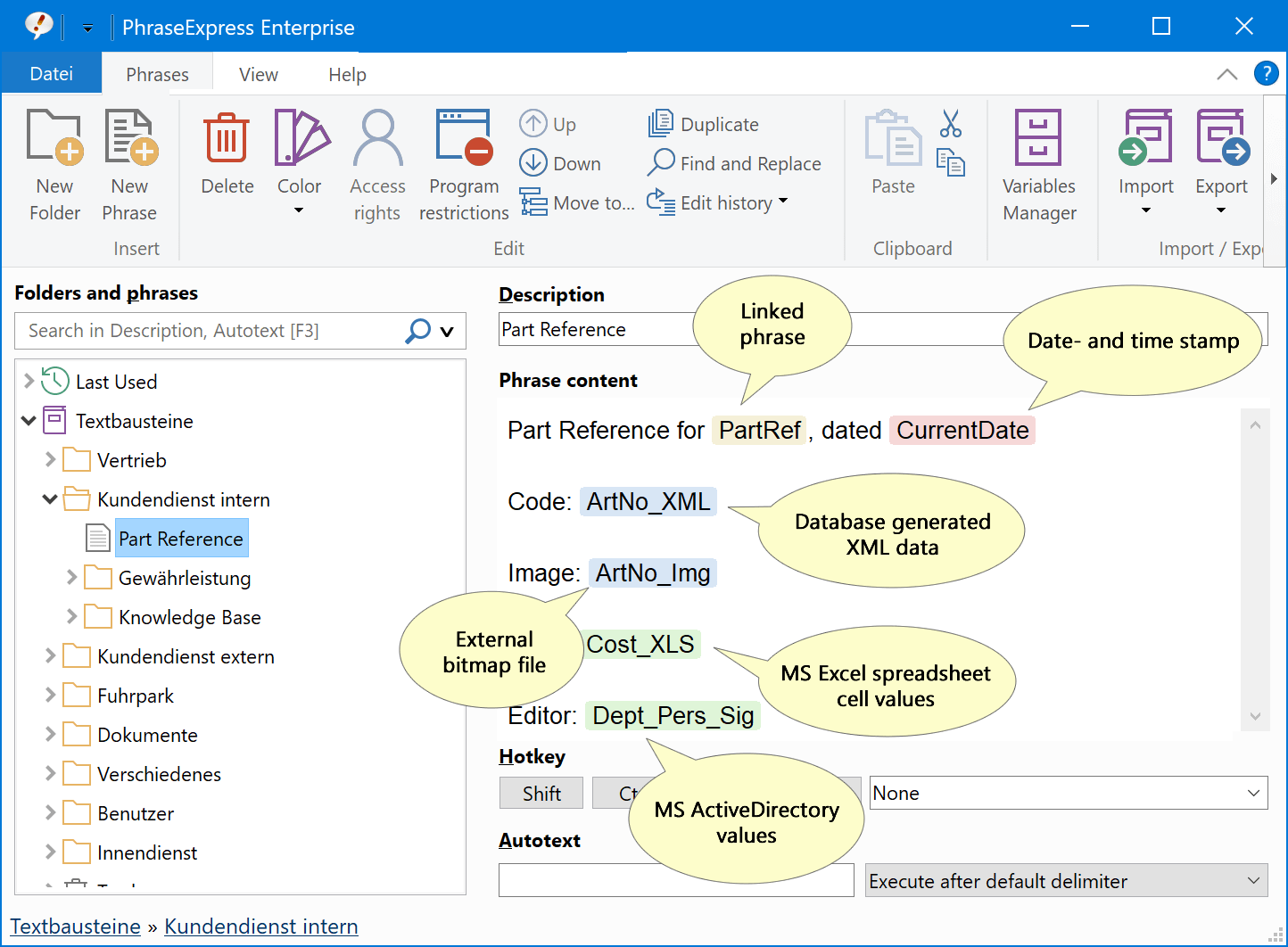
External data from various sources can be embedded into your templates
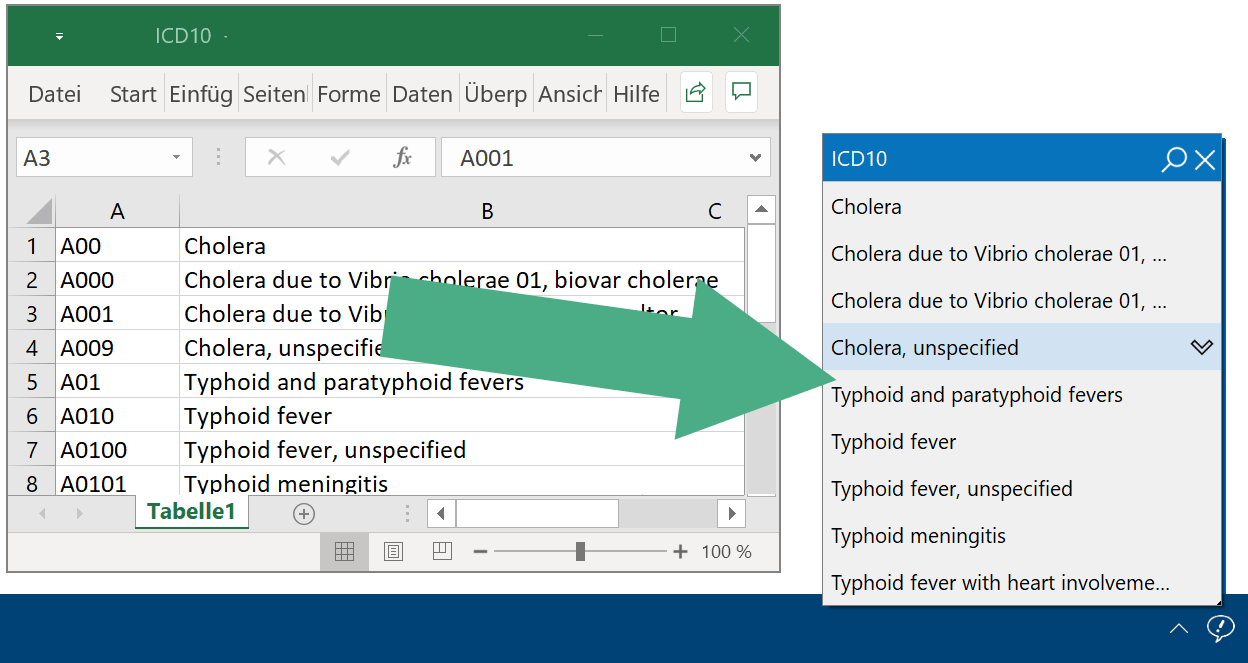
Phrase libraries can be dynamically generated from database queries.
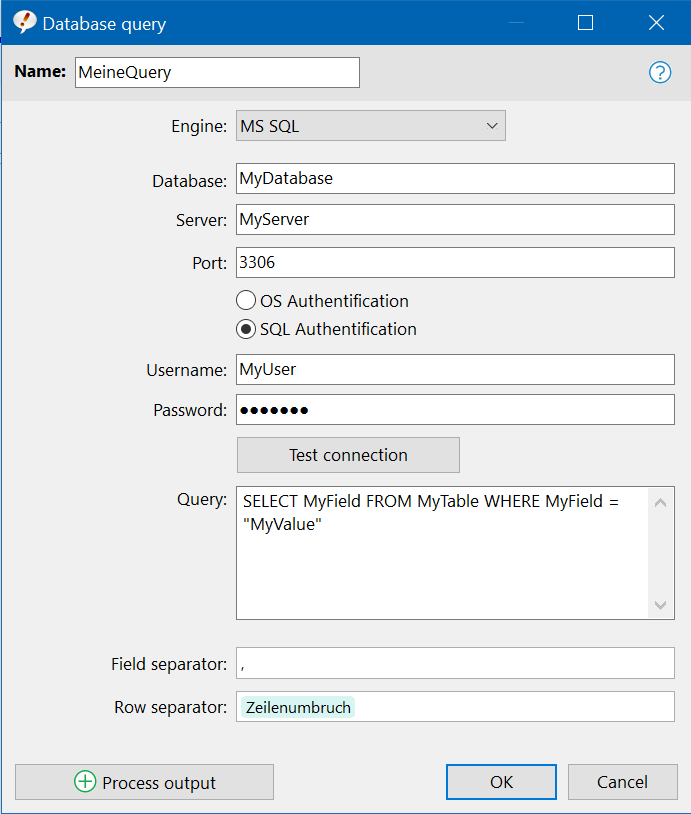
The result of a database query can be embedded into a phrase.
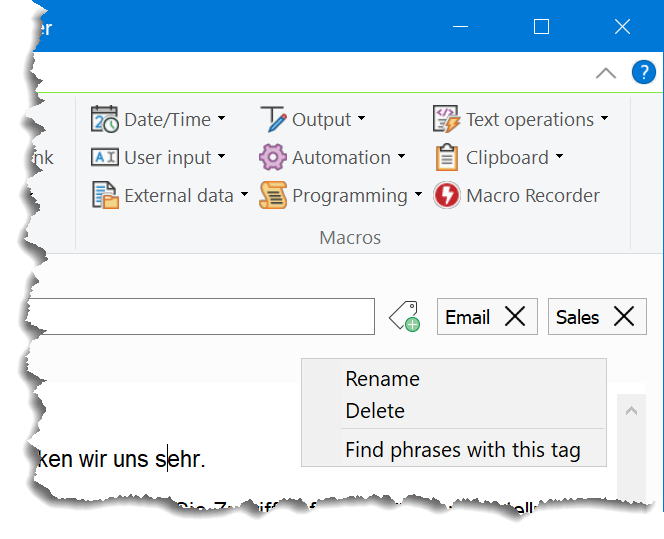
Phrases can be grouped & searched by tags.
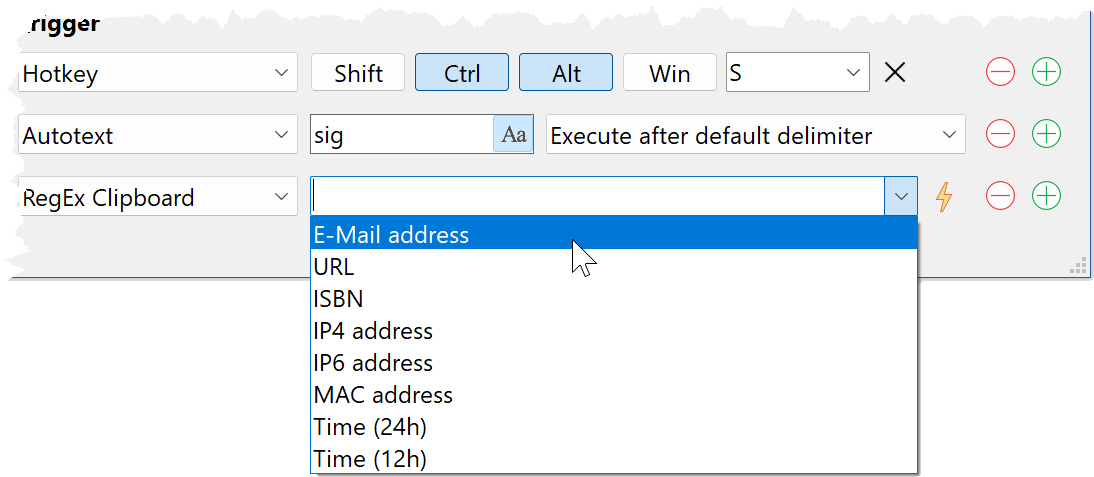
Phrases can be triggered by hotkeys, autotext, time-scheduled or executed if the clipboard contains specific contents
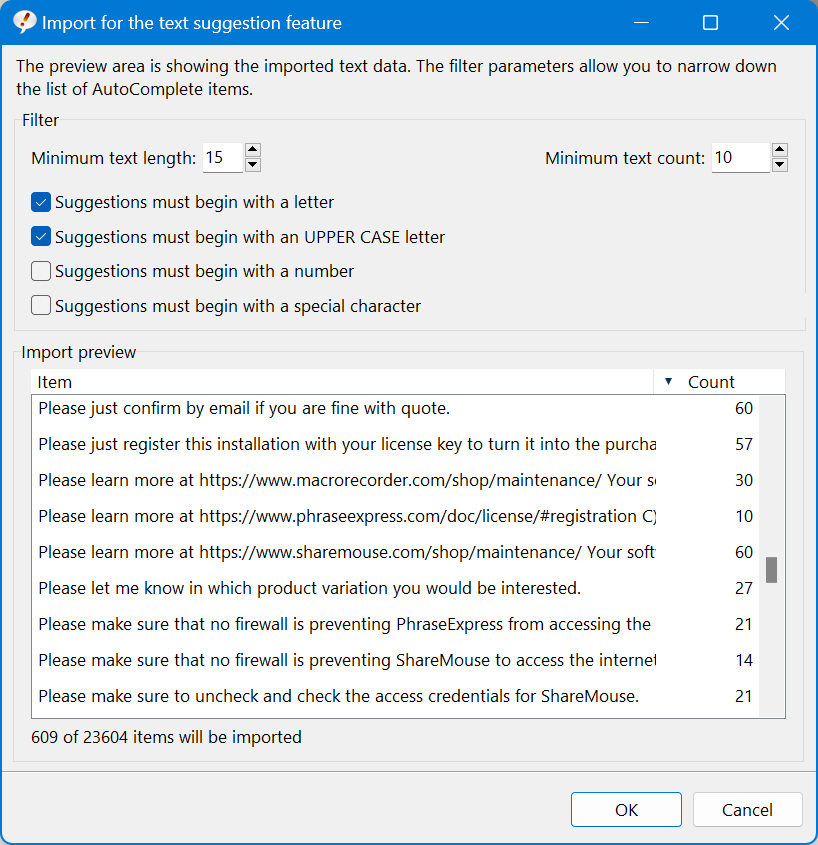
PhraseExpress can analyze your sent Outlook emails and create phrases from repetitively used phrases.
Macro menus
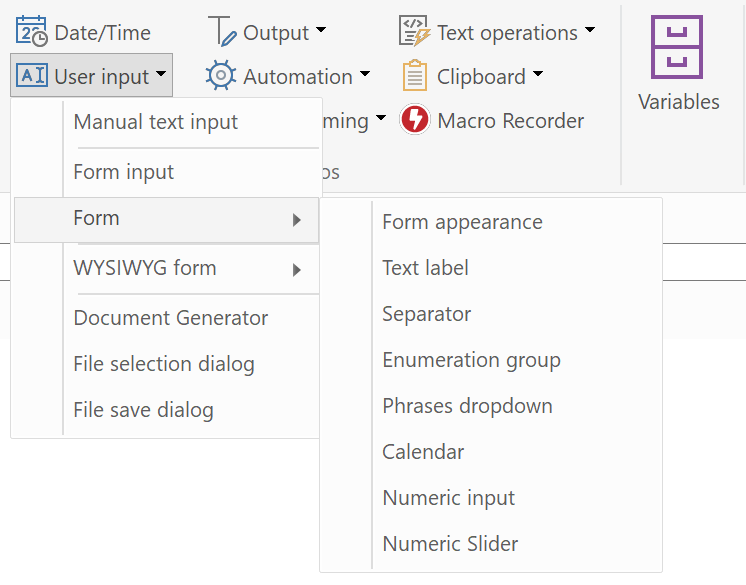
Form macros
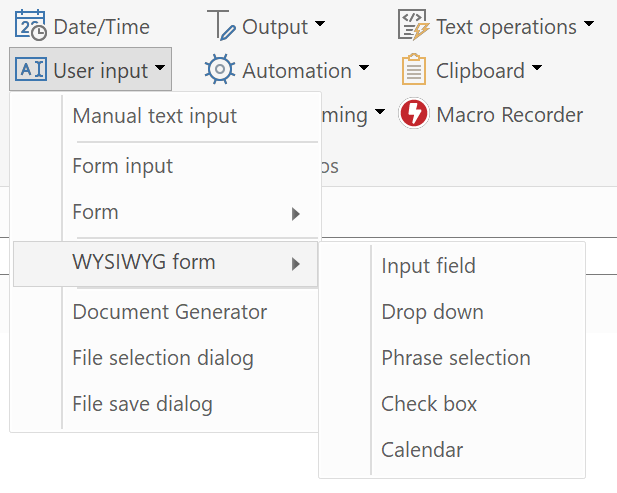
WYSIWYG form macro functions
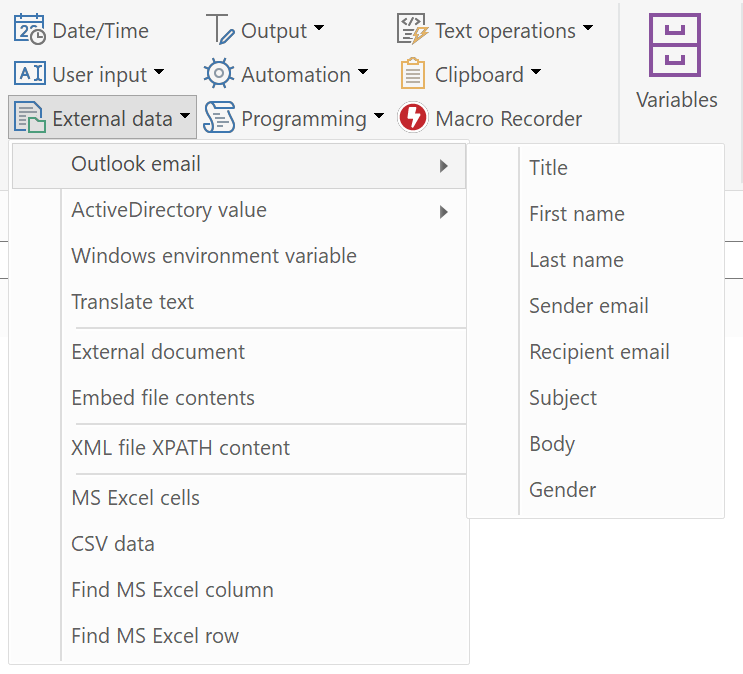
Outlook Add-In macro functions
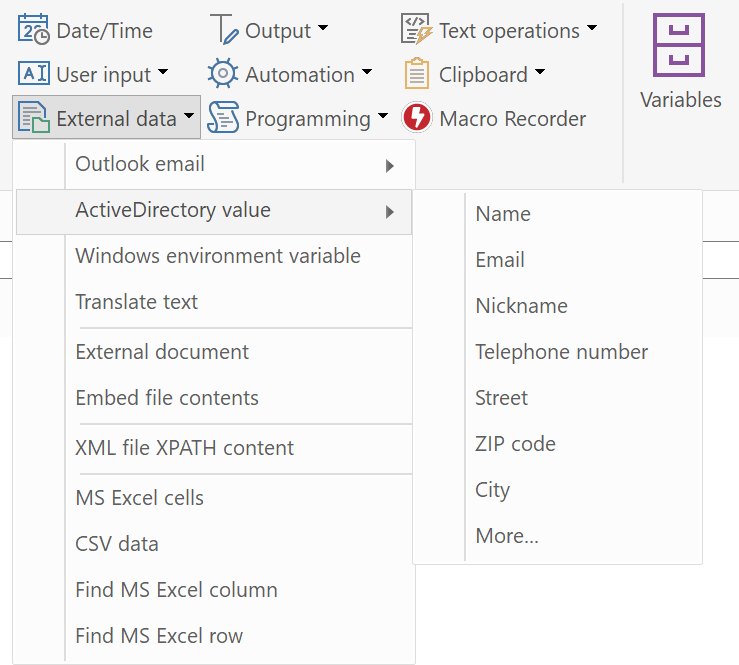
ActiveDirectory data macro functions
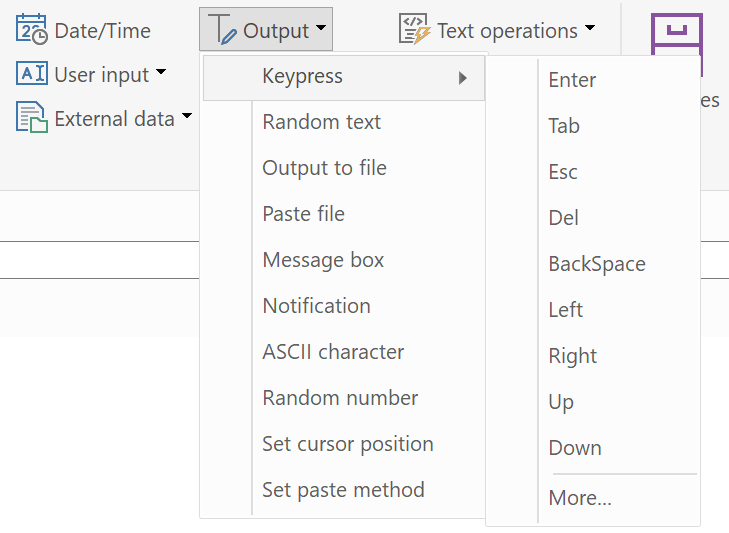
Output and keypress simulation macro functions
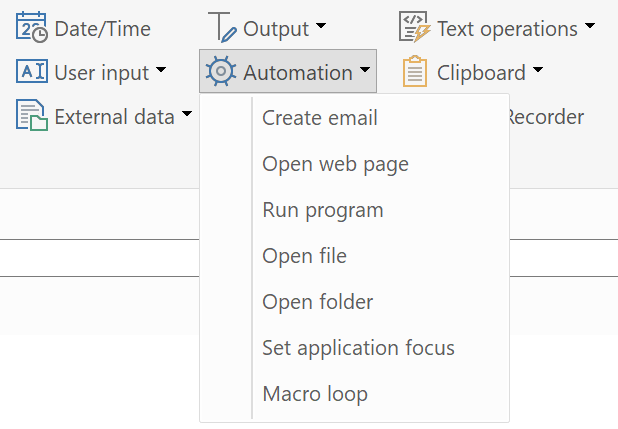
Automation macro functions
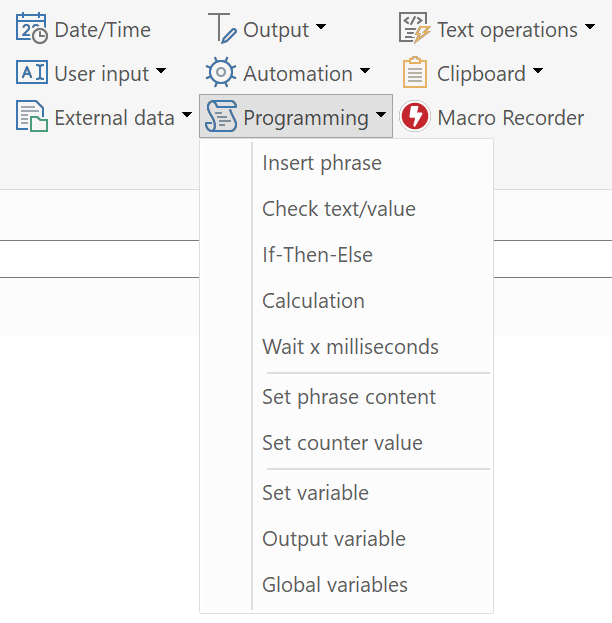
Programming macro functions
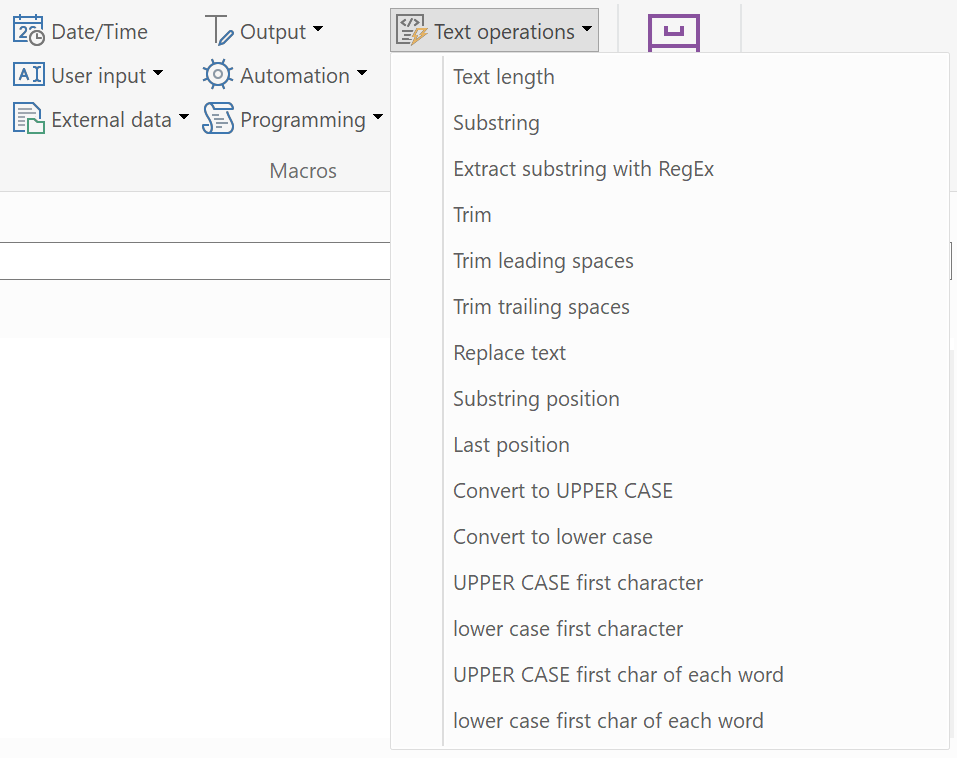
String operation macro functions
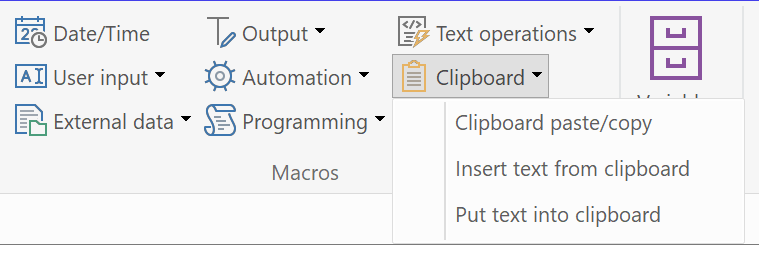
Clipboard related macro functions