PhraseExpress for Mac
PhraseExpress for Mac is a powerful Text Expander and Text Template Manager:

Check out new features in version 7!
Benefits
- Life-time license – No subscription and no recurring charges.
- No forced use of cloud services – You can keep your snippets on your own computers.
- Syncs with Windows and Free(!) iPhone/iPad App – Save time on your desktop PC and your mobile devices.
- No search hotkey required – Suggestions show up as-you-type.
Notable Features
- Multi-level phrase folders instead of only flat groups.
- Reusable autotexts to create multiple choice phrases (no "conflicting autotext").
- Macro functions to perform powerful tasks (multiple choice phrases, input forms,
linking phrases, math calculations, string operations, conditional statements, loops, etc.). - Advanced autotext settings which can be configured individually for each phrase.
- Text snippets import from TextExpander incl. a selection of macro functions.
- SmartComplete feature saves you from memorizing abbreviations.
- Clipboard Manger keeps the history of earlier clipboard contents for instant access.
Freeware App
The Text Expander for Mac Freeware version is free for personal use with only few limitations.
The iOS Text Expander App is completely free without any limitations.
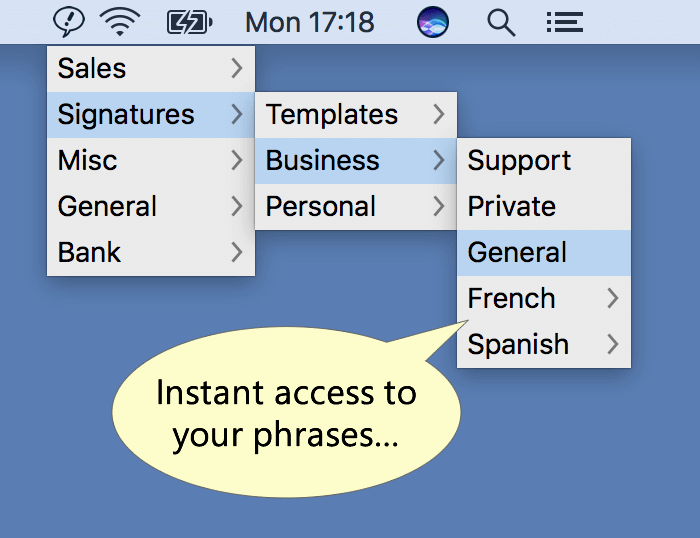
Access your Snippets with Ease
- Phrases are available at your finger tip.
- Snippets can be organized by languages including sub-folders for departments, products, purposes.
- Hotkeys provide instant access to specific phrase folders.
Powerful Autotext Options
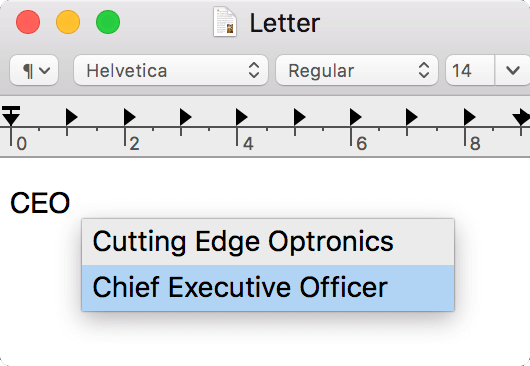
PhraseExpress allows you to assign the same autotext shortcut to multiple snippets.
Ambiguous shortcuts trigger a phrase selection menu next to the cursor.
You only need to memorize a single autotext to get multiple snippet options.
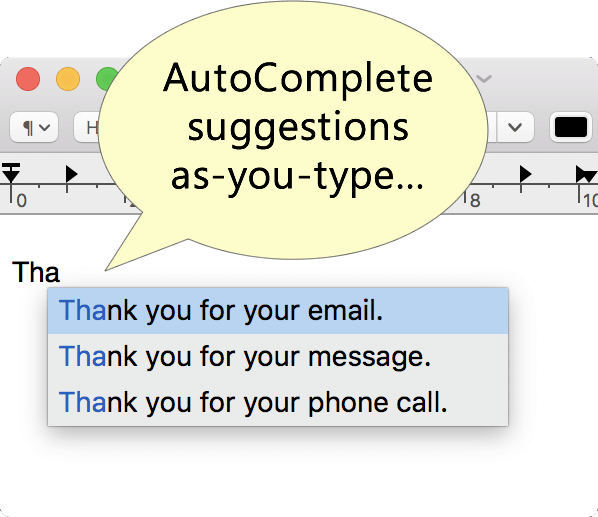
No more Autotext memorization
Tired of ;xdly and ;rjcd?
Instead typing cryptic abbreviations, just type the beginning of the desired phrase.
A smart menu narrows down matching items as you type.
OpenAI Integration
The amazing OpenAI text processing capabilities and PhraseExpress make a perfect team.
Use artificial intelligence in PhraseExpress to summarize or rewrite your phrases in different styles (formal/informal). PhraseExpress stores the processed phrases, so you only pay once for AI-processing.
PhraseExpress also allows you to AI-process text in any application on your computer at the touch of a button.
Advanced Fill-in Feature
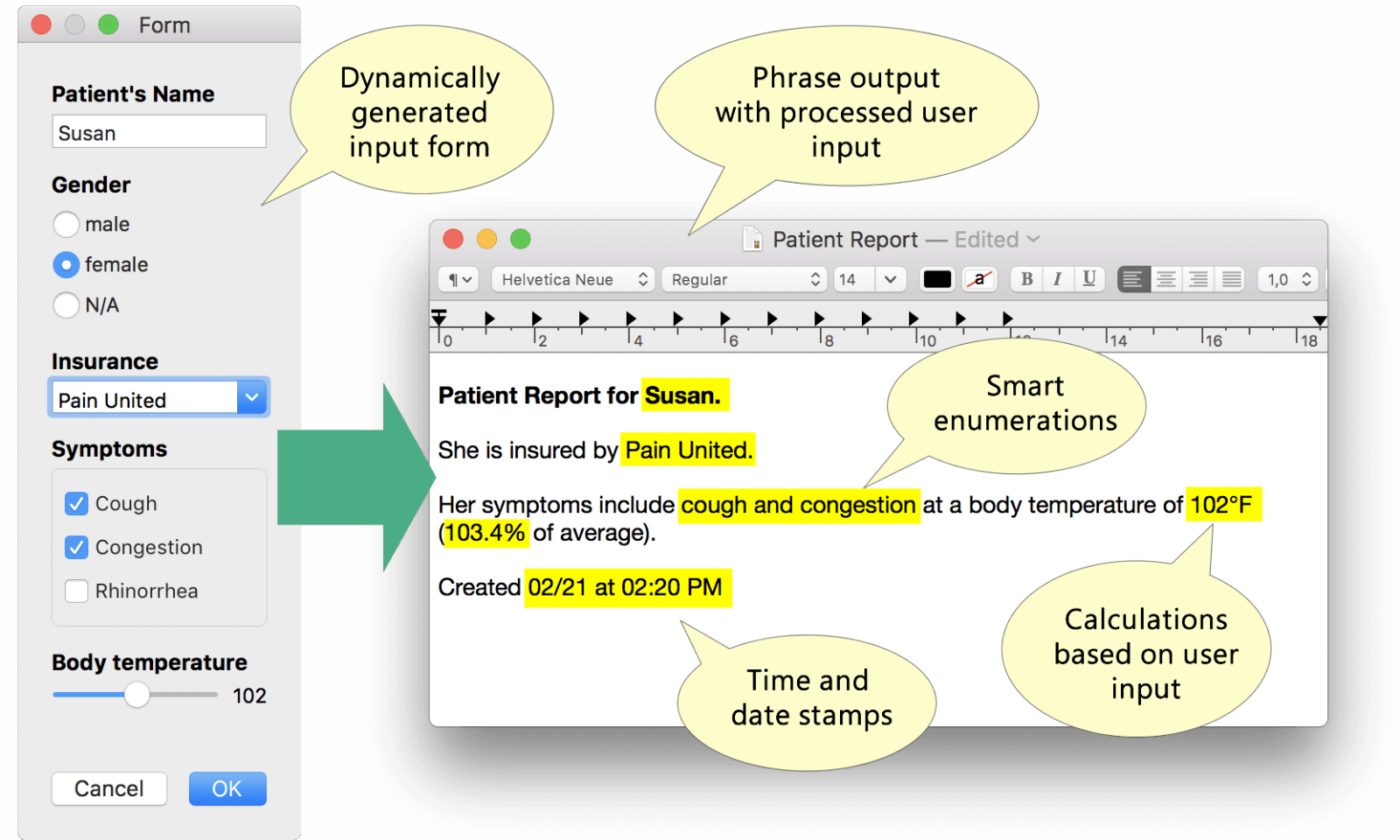
PhraseExpress offers so much more than just inserting user input into a snippet:
- Snippets can adapt to the gender ("he/she", "her/his").
- Check-marked items are enumerated, including conjunction "and".
- Calculations can be made based on the user input.
- The form input can be stored and re-used for other snippets.
Sharing phrases in a team
- PhraseExpress supports SQL server to host your phrase libraries.
- Optional Cloud Synchronization (iCloud Drive, DropBox, OwnCloud, etc) enables you to share phrases with other users over the internet.
- Phrase files can also be hosted on a local NAS server for shared access.
- Access can be restricted to specific users or workgroups, allowing users to configure personal and shared phrases.
Dynamic Snippet Contents
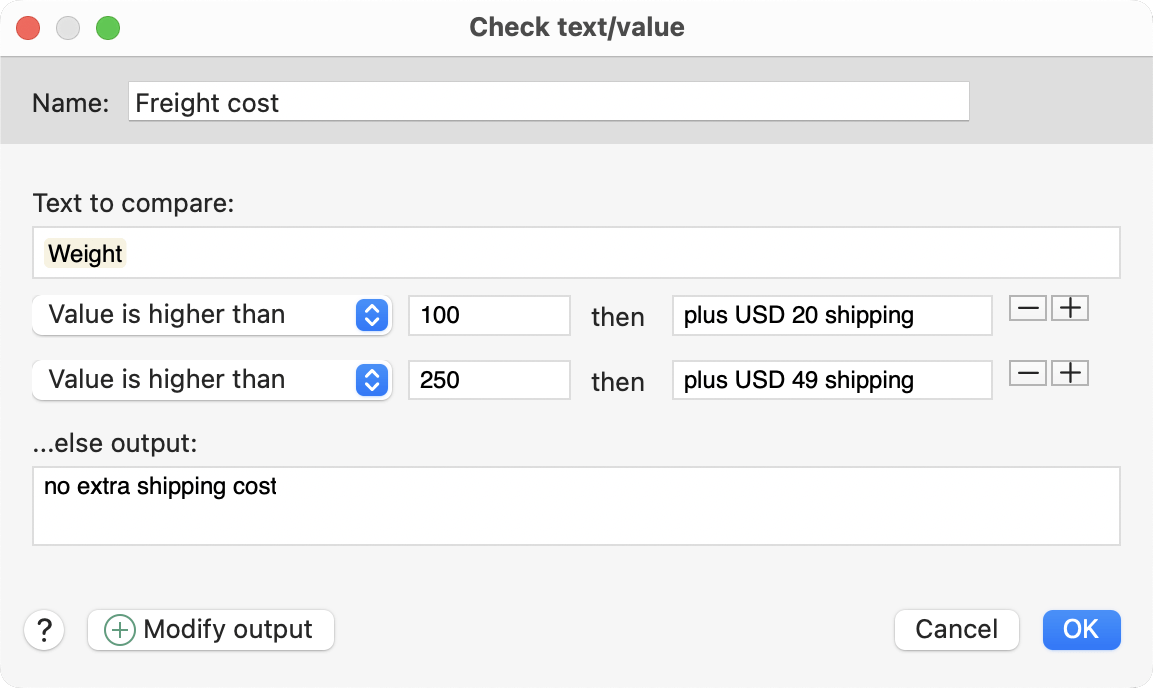
Powerful macro functions can insert user input, clipboard contents, external file contents and date/time stamps into snippets. Conditional statements, loops, variables, math and string operations allow you to create powerful automations.
The real power comes by nesting macro functions: User input can feed conditional statements, that branch into can link a variety of snippets, randomize phrases, define variables, perform calculations, adapt the gender to the recipient, trigger phrases depending on date, create counters, e.g. for auto-incrementing invoice numbers, etc.
Multi-Platform Text Expander
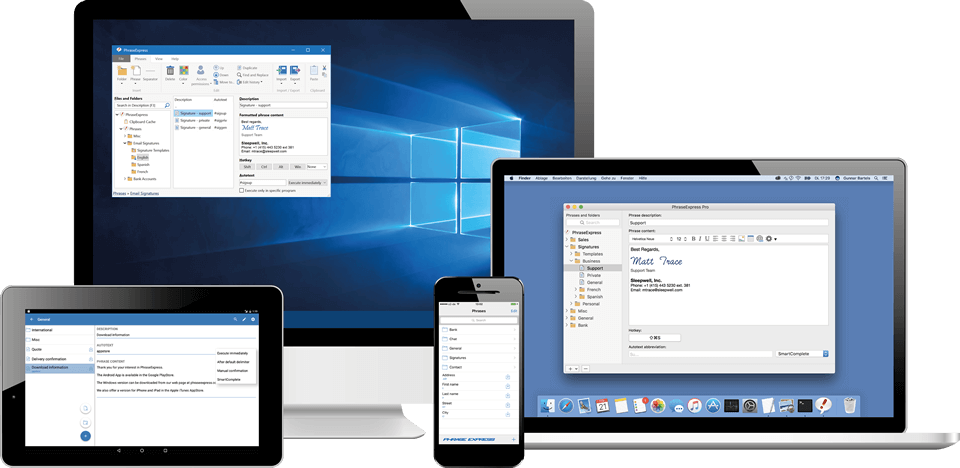
Available for Mac, Windows and iOS
PhraseExpress for Mac can sync phrases with the Windows version and with the free iPhone/iPad App.
All versions have been created with native development tools of each platform, allowing for snappy apps which utilize the best features of each operating system.
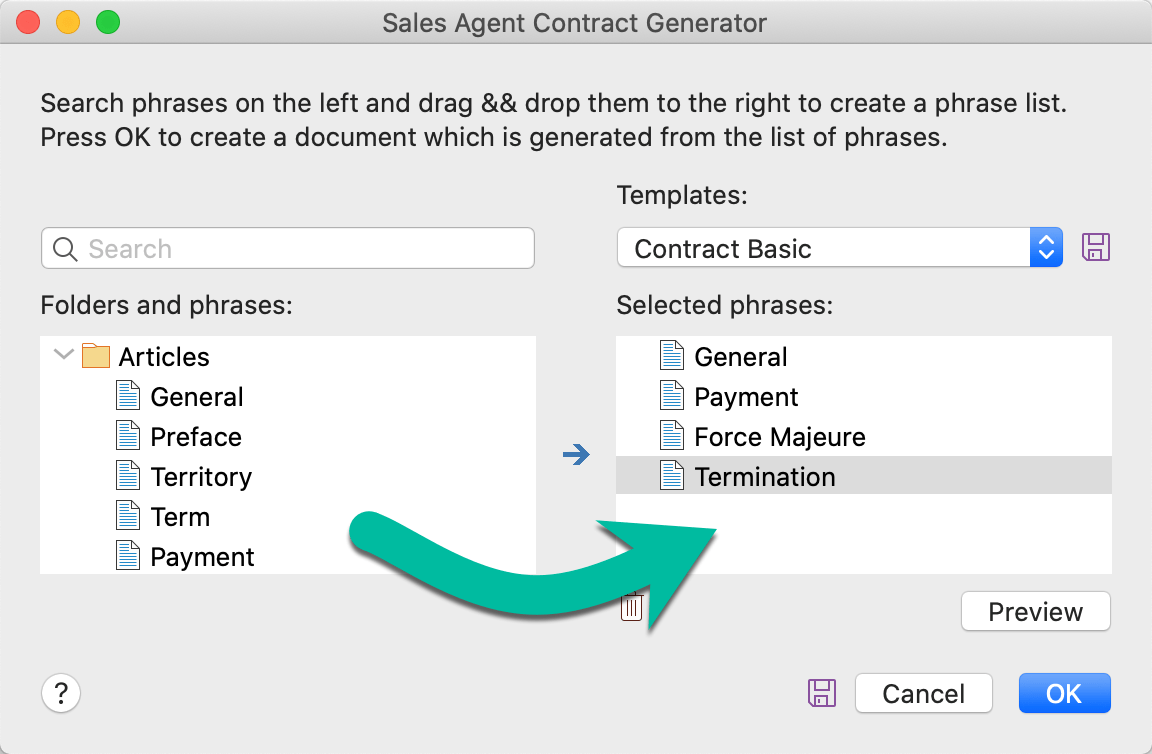
Document Generator
The Document Generator generates entire documents based on a custom selection of your templates:
- Lawyers create custom contracts in no time: Just select the terms to be included and PhraseExpress saves the custom contract as a Microsoft Word document on your desktop.
- Technical writers can re-use common parts of a documentation to quickly create a variation of existing user manuals.
- Medical doctors can select applicable items from the list of common procedures to create a customized medical report.